


Windows help
Windows help topics
Manage Videos
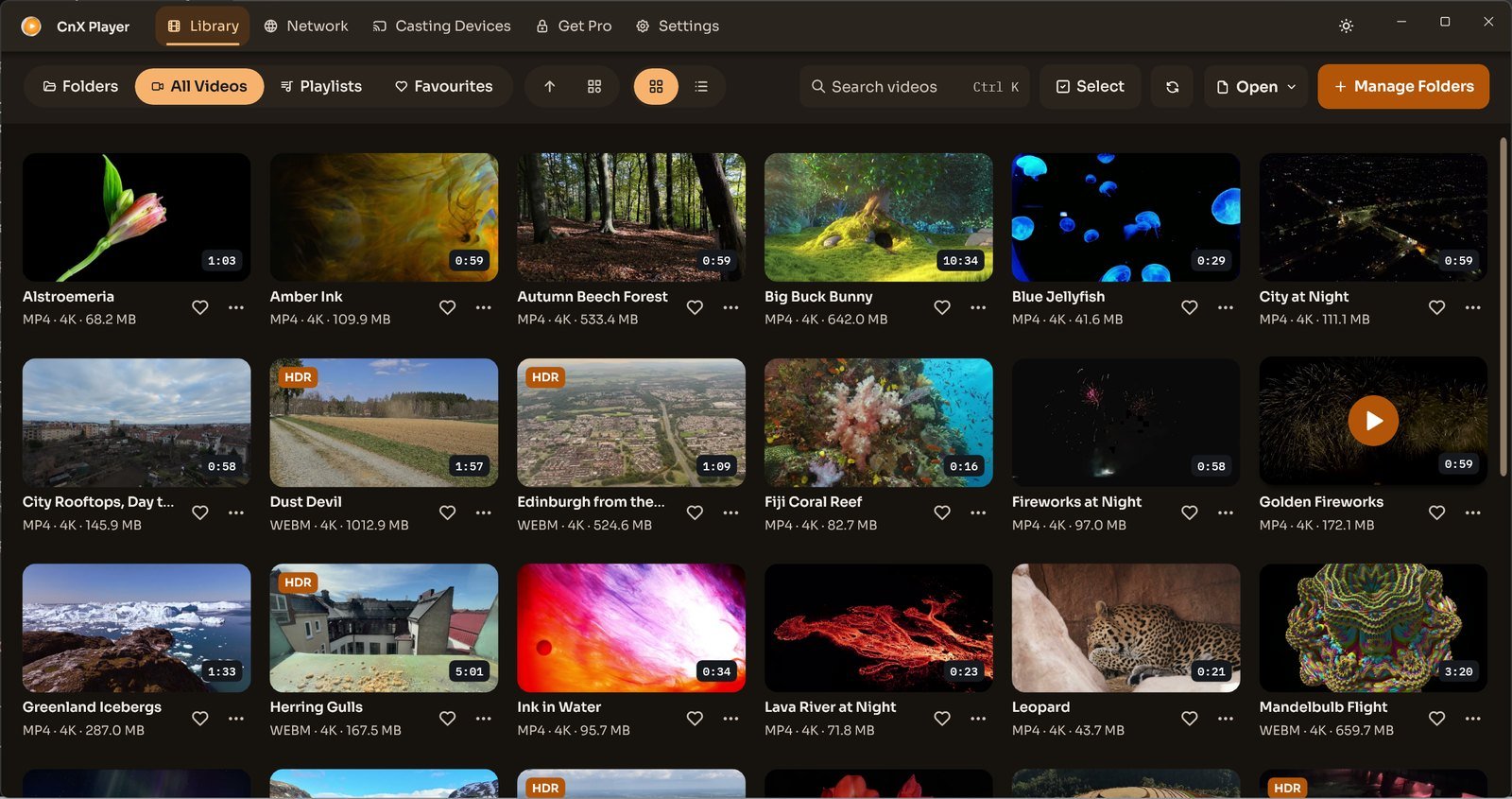
Add videos to your CnX Player library
CnX Player 5.0: add a video folder through Manage Folders, then browse Folders or All Videos in your Windows library.
Read MoreVideos: PantheraLeo1359531 and Rose Abrams / Wikimedia Commons, CC BY 4.0; “Big Buck Bunny” and “Sintel” © Blender Foundation, CC BY 3.0; “Sol Levante” by Akira Saitoh, Production I.G / Netflix Open Content, CC BY 4.0.
Open a single video without adding its folder
Open one video without adding its folder: locate Open in the CnX Player 5.0 and consult clearly labelled earlier Windows methods.
Read MoreVideos: PantheraLeo1359531 and Rose Abrams / Wikimedia Commons, CC BY 4.0; “Big Buck Bunny” and “Sintel” © Blender Foundation, CC BY 3.0; “Sol Levante” by Akira Saitoh, Production I.G / Netflix Open Content, CC BY 4.0.
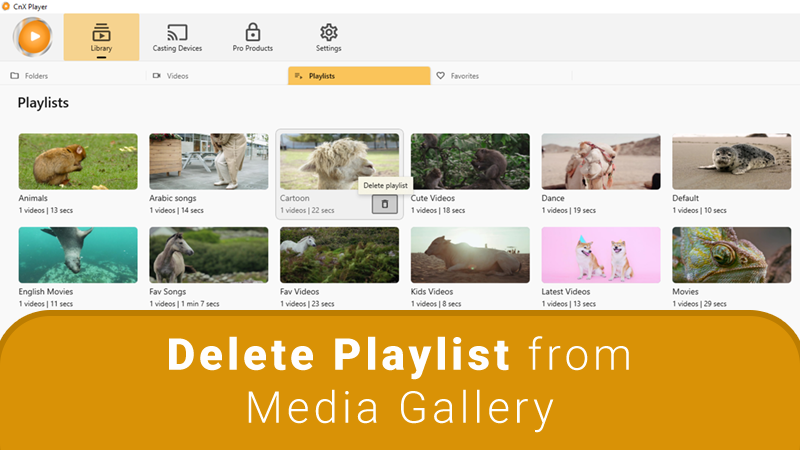
Delete videos: earlier Windows instructions
Earlier Windows video-deletion instructions and the difference between deleting a file from your PC and removing an item from the library.
Read More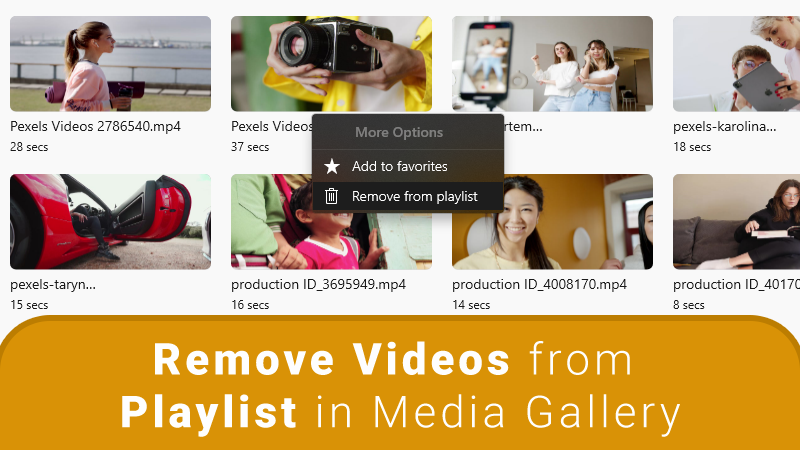
Remove videos from the library without deleting files
Understand library removal versus file deletion, with earlier Windows instructions for removing a folder from CnX Player without deleting its videos.
Read More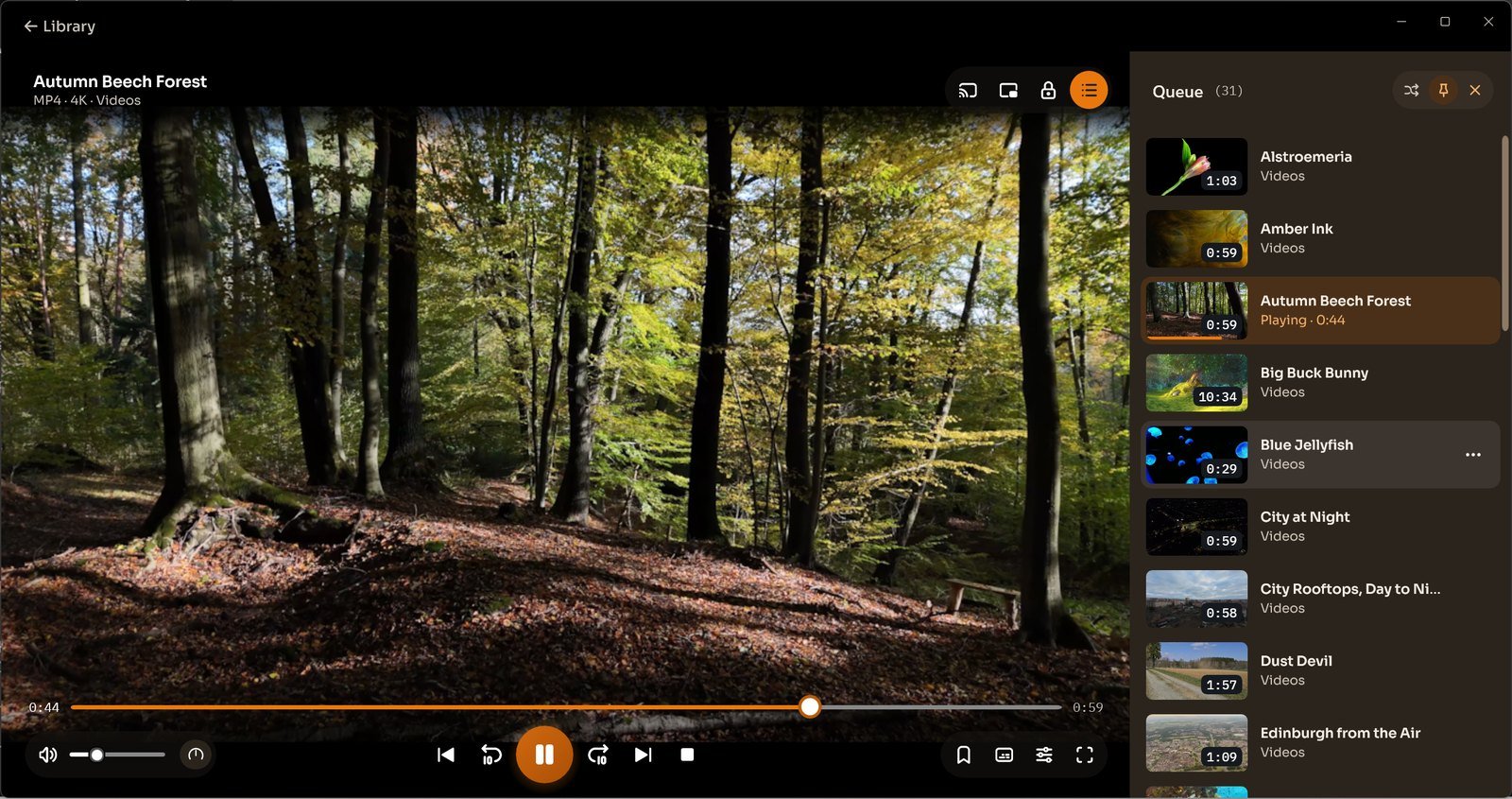
Create a playlist from your video queue
CnX Player 5.0: check the video queue, shuffle a line-up and save it as a playlist to find again in Library.
Read MoreVideos: PantheraLeo1359531 and Rose Abrams / Wikimedia Commons, CC BY 4.0; “Big Buck Bunny” and “Sintel” © Blender Foundation, CC BY 3.0; “Sol Levante” by Akira Saitoh, Production I.G / Netflix Open Content, CC BY 4.0.
Add a folder’s videos to a playlist
Folders, queues and playlists in CnX Player: save a line-up for later, with separate folder-to-playlist instructions for earlier Windows versions.
Read MoreVideos: PantheraLeo1359531 and Rose Abrams / Wikimedia Commons, CC BY 4.0; “Big Buck Bunny” and “Sintel” © Blender Foundation, CC BY 3.0; “Sol Levante” by Akira Saitoh, Production I.G / Netflix Open Content, CC BY 4.0.
Add videos to Favourites
CnX Player 5.0: use the heart beside a library video and return to saved videos from Favourites.
Read MoreVideos: PantheraLeo1359531 and Rose Abrams / Wikimedia Commons, CC BY 4.0; “Big Buck Bunny” and “Sintel” © Blender Foundation, CC BY 3.0; “Sol Levante” by Akira Saitoh, Production I.G / Netflix Open Content, CC BY 4.0.
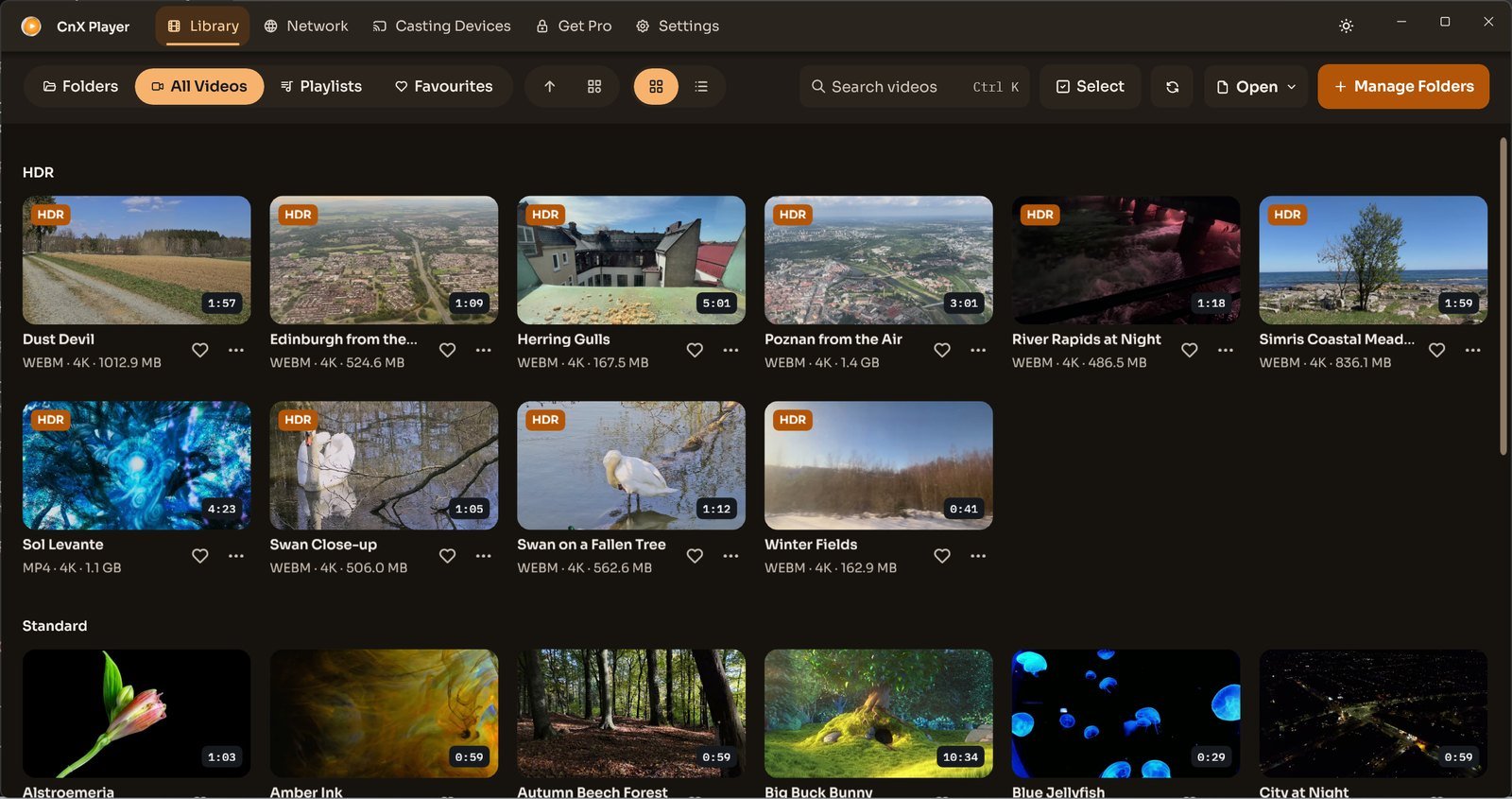
Sort and group videos in the library
CnX Player 5.0: arrange the library with sorting, group videos by HDR, resolution or folder, and choose grid or list presentation.
Read MoreVideos: PantheraLeo1359531 and Rose Abrams / Wikimedia Commons, CC BY 4.0; “Big Buck Bunny” and “Sintel” © Blender Foundation, CC BY 3.0; “Sol Levante” by Akira Saitoh, Production I.G / Netflix Open Content, CC BY 4.0.
Add videos to a playlist
CnX Player 5.0: understand the queue and saved playlists, with earlier-version add-to-playlist instructions clearly identified.
Read MoreVideos: PantheraLeo1359531 and Rose Abrams / Wikimedia Commons, CC BY 4.0; “Big Buck Bunny” and “Sintel” © Blender Foundation, CC BY 3.0; “Sol Levante” by Akira Saitoh, Production I.G / Netflix Open Content, CC BY 4.0.
Video Playback
Change playback speed in earlier Windows versions
Earlier Windows instructions for slow and fast playback. The displayed speed choices belong to the earlier interface, not verified 5.0 controls.
Read More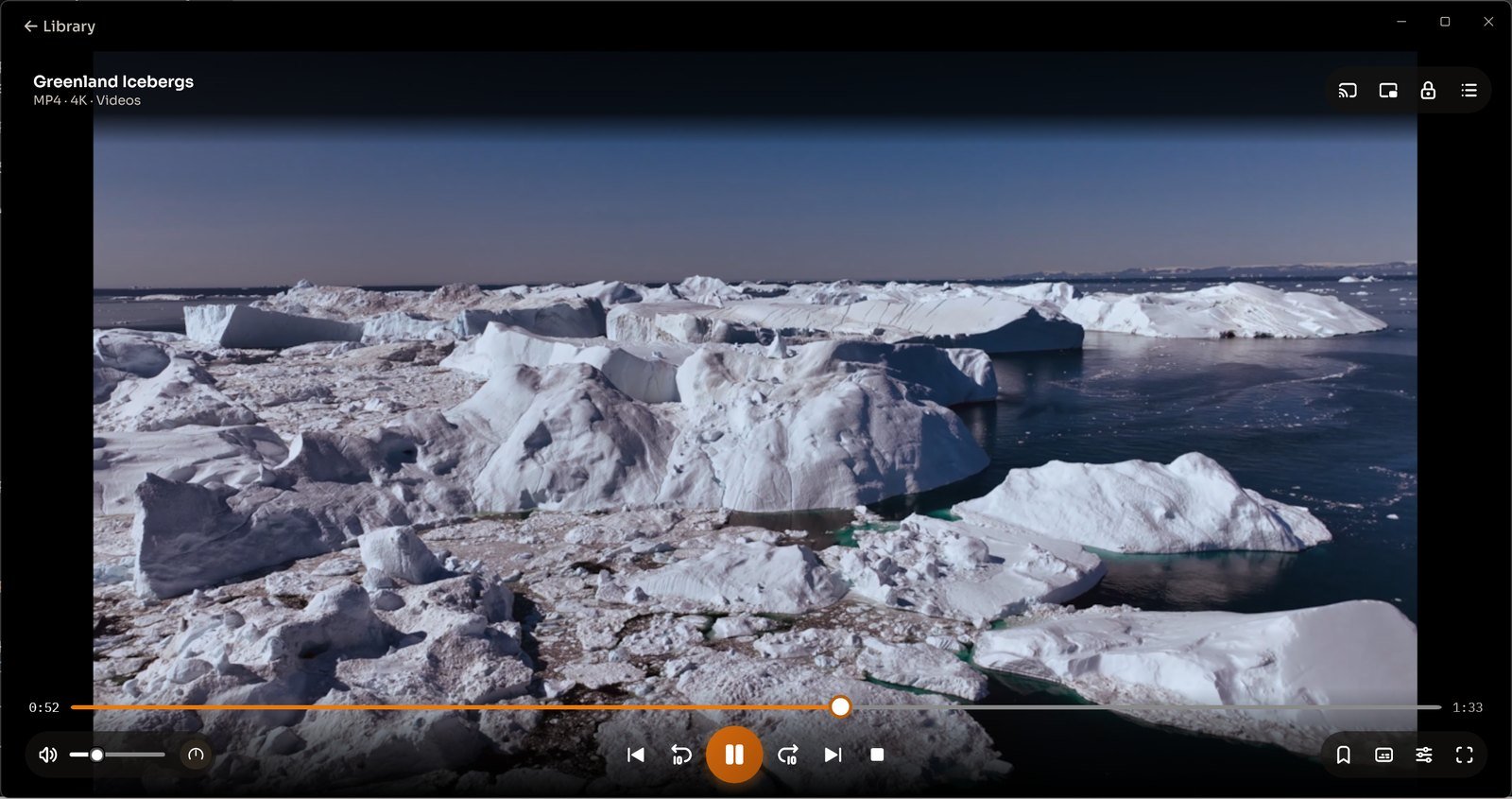
Move forward or backward in a video
CnX Player 5.0: move through a video with the timeline and the player skip-back and skip-forward controls.
Read More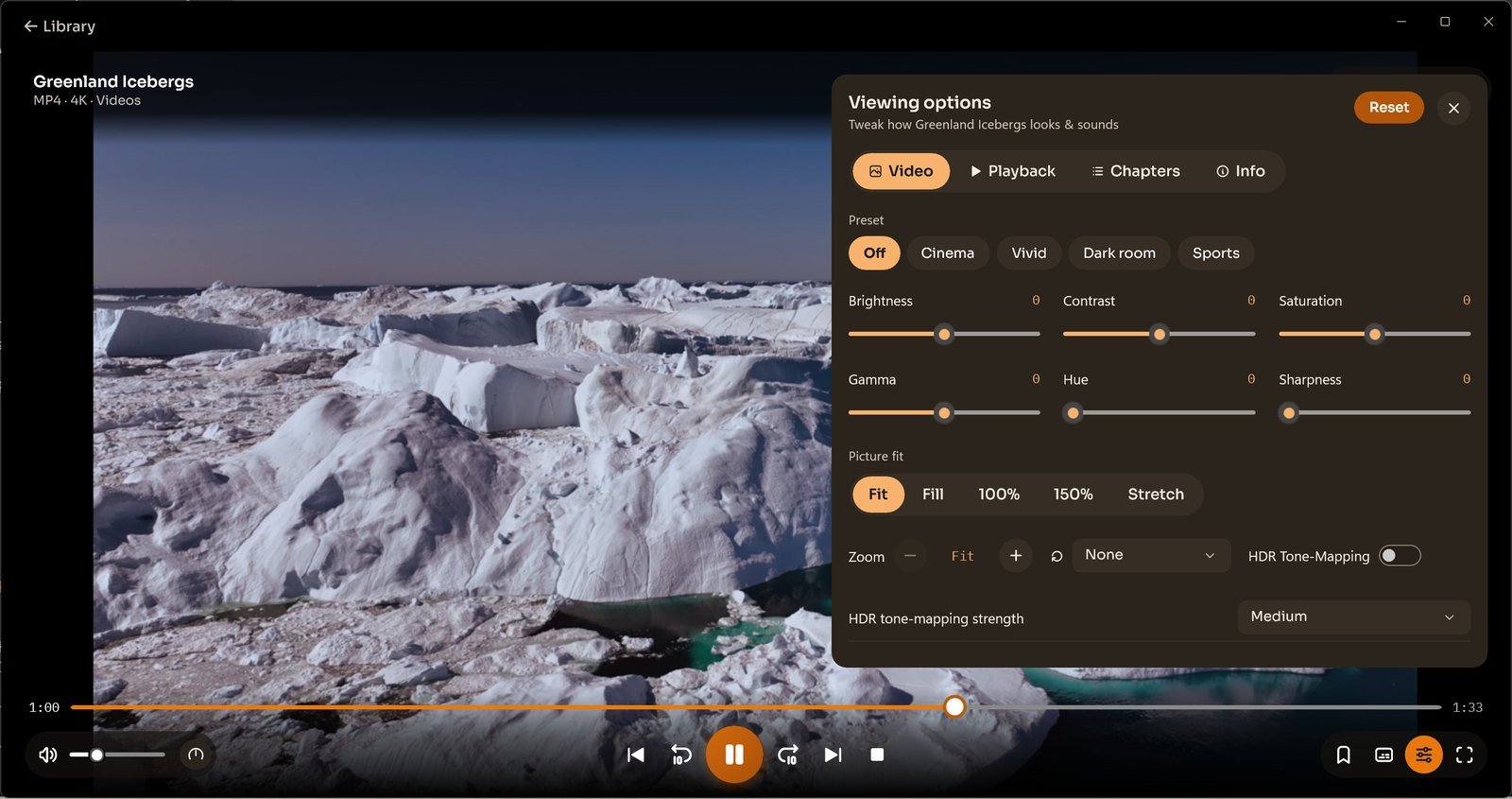
Change picture fit, zoom and rotation
CnX Player 5.0: use Viewing options to choose picture fit, zoom and rotation, or change the Picture fit preference in Settings.
Read More
Adjust brightness, contrast and picture controls
CnX Player 5.0: choose picture presets and adjust brightness, contrast, saturation, gamma, hue, sharpness and picture fit.
Read More
Touch-screen lock while watching video
CnX Player touch-lock help: identify the preview player lock control and read the separate earlier-version locking instructions.
Read MoreResume playback in earlier Windows versions
Earlier Windows restart and resume instructions, plus a link to the CnX Player 5.0 mini player that expands at the current playback position.
Read More
Continuous and loop playback
Use a playback queue for consecutive videos in the CnX Player 5.0; consult separate earlier-version None, One and All loop instructions.
Read MoreVideos: PantheraLeo1359531 and Rose Abrams / Wikimedia Commons, CC BY 4.0; “Big Buck Bunny” and “Sintel” © Blender Foundation, CC BY 3.0; “Sol Levante” by Akira Saitoh, Production I.G / Netflix Open Content, CC BY 4.0.
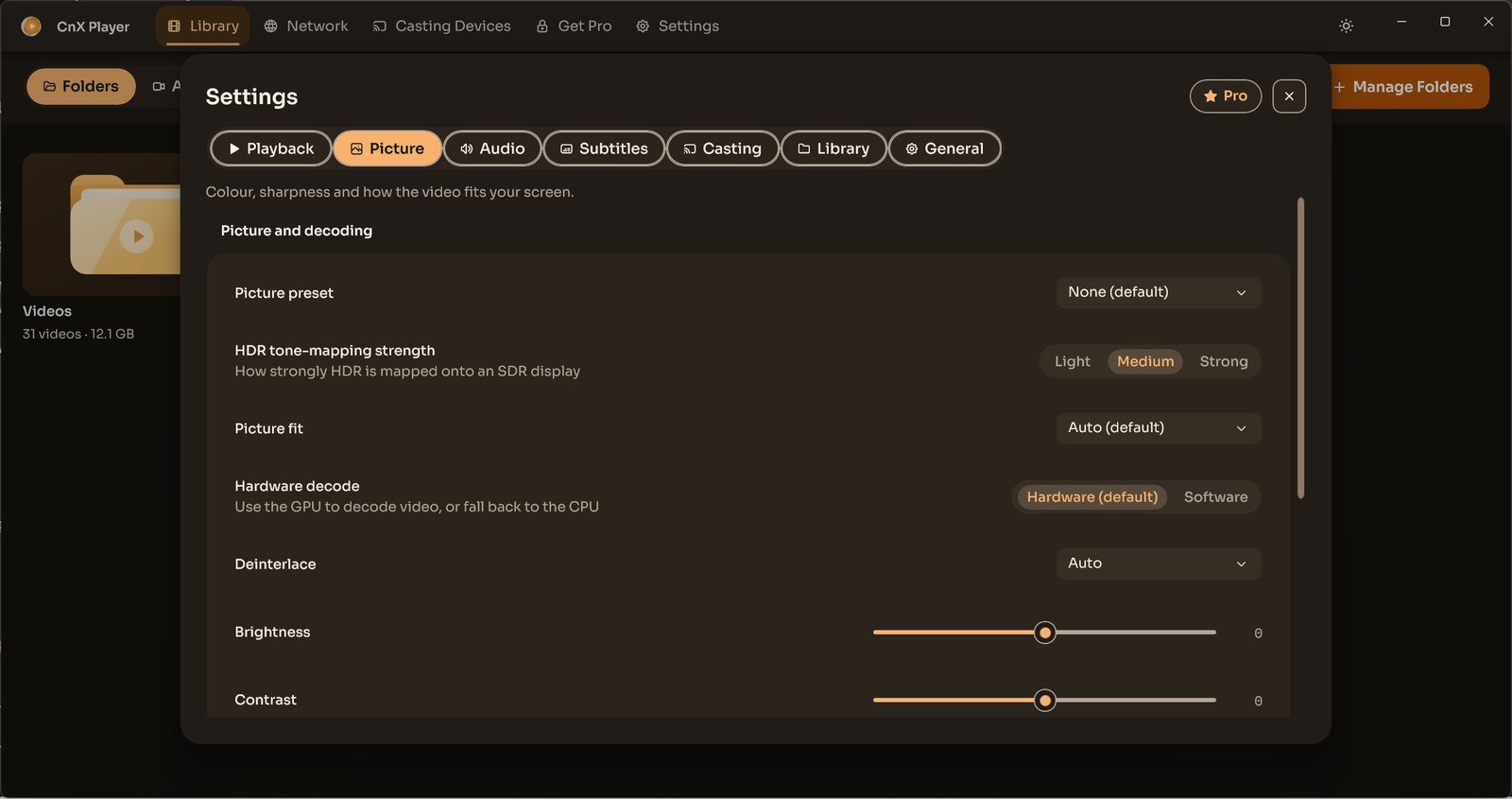
Switch between hardware and software video decoding
CnX Player 5.0: switch between Hardware and Software decoding in Settings, Picture, and note your setting when reporting a playback issue.
Read More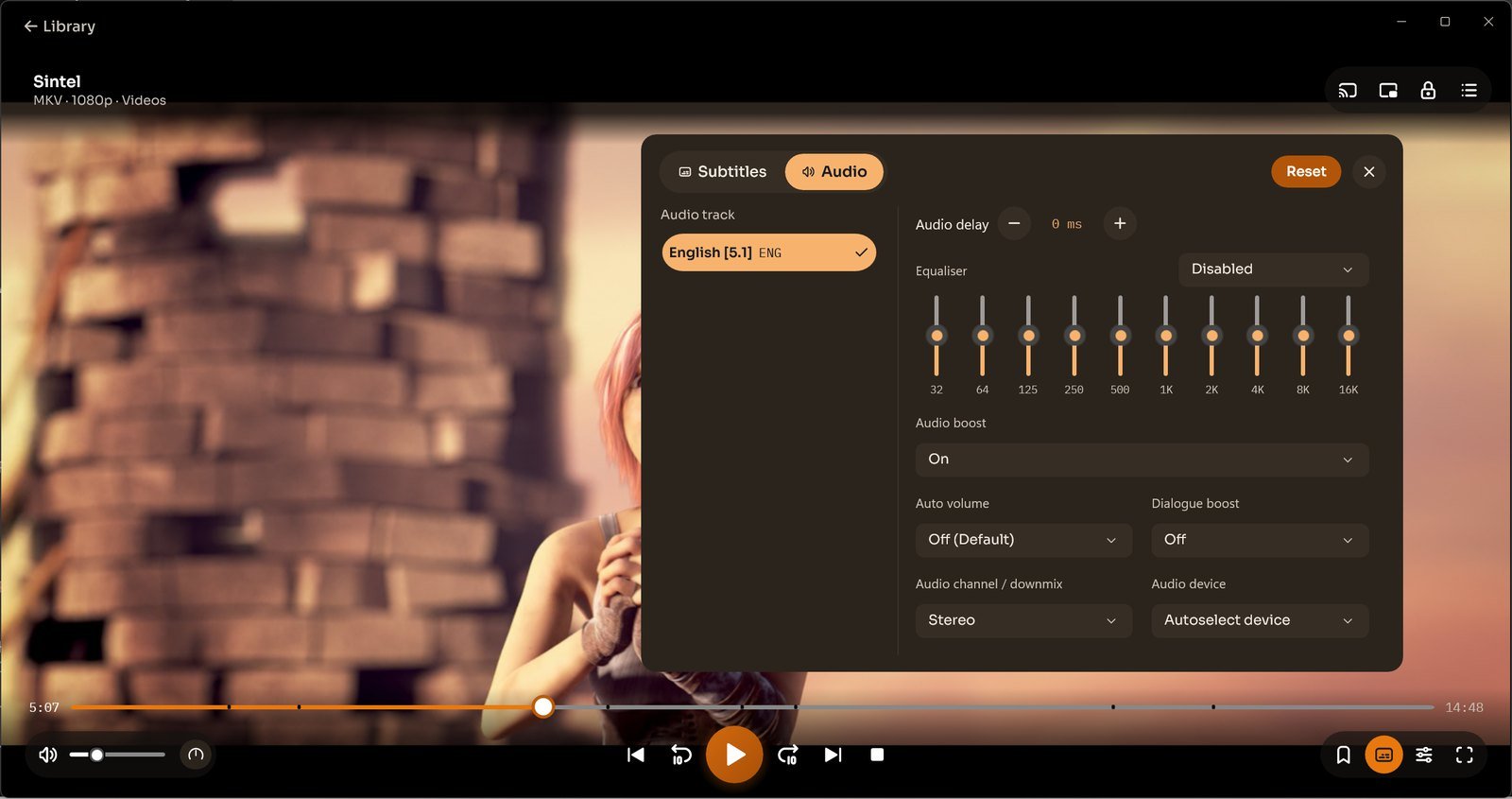
Choose an audio track and adjust sound
CnX Player 5.0: choose an audio track, adjust delay, use the 10-band equaliser and select an audio output device.
Read More“Sintel” © copyright Blender Foundation | durian.blender.org, CC BY 3.0 (creativecommons.org/licenses/by/3.0).
User Interface
Choose a library view
CnX Player 5.0: browse Folders, All Videos, Playlists and Favourites, switch library views and group videos by HDR, resolution or folder.
Read MoreVideos: PantheraLeo1359531 and Rose Abrams / Wikimedia Commons, CC BY 4.0; “Big Buck Bunny” and “Sintel” © Blender Foundation, CC BY 3.0; “Sol Levante” by Akira Saitoh, Production I.G / Netflix Open Content, CC BY 4.0.
Gesture controls in earlier Windows versions
Earlier Windows tap and swipe instructions for playback, volume and brightness, with a link to the visible CnX Player 5.0 playback controls.
Read More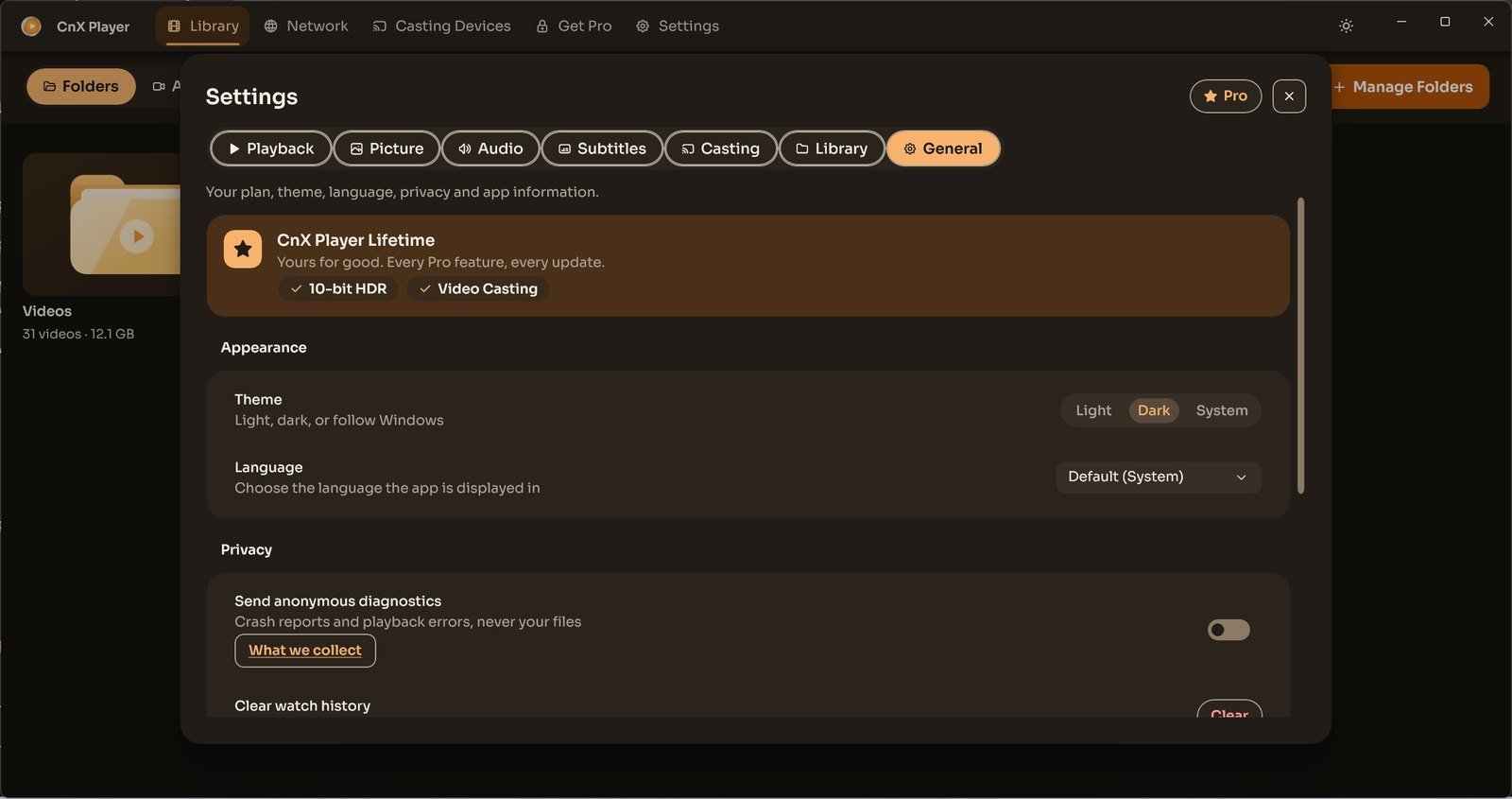
Choose the light, dark or Windows theme
CnX Player 5.0: select Light, Dark or System appearance in Settings, General, and follow your Windows theme when preferred.
Read MoreGeneral
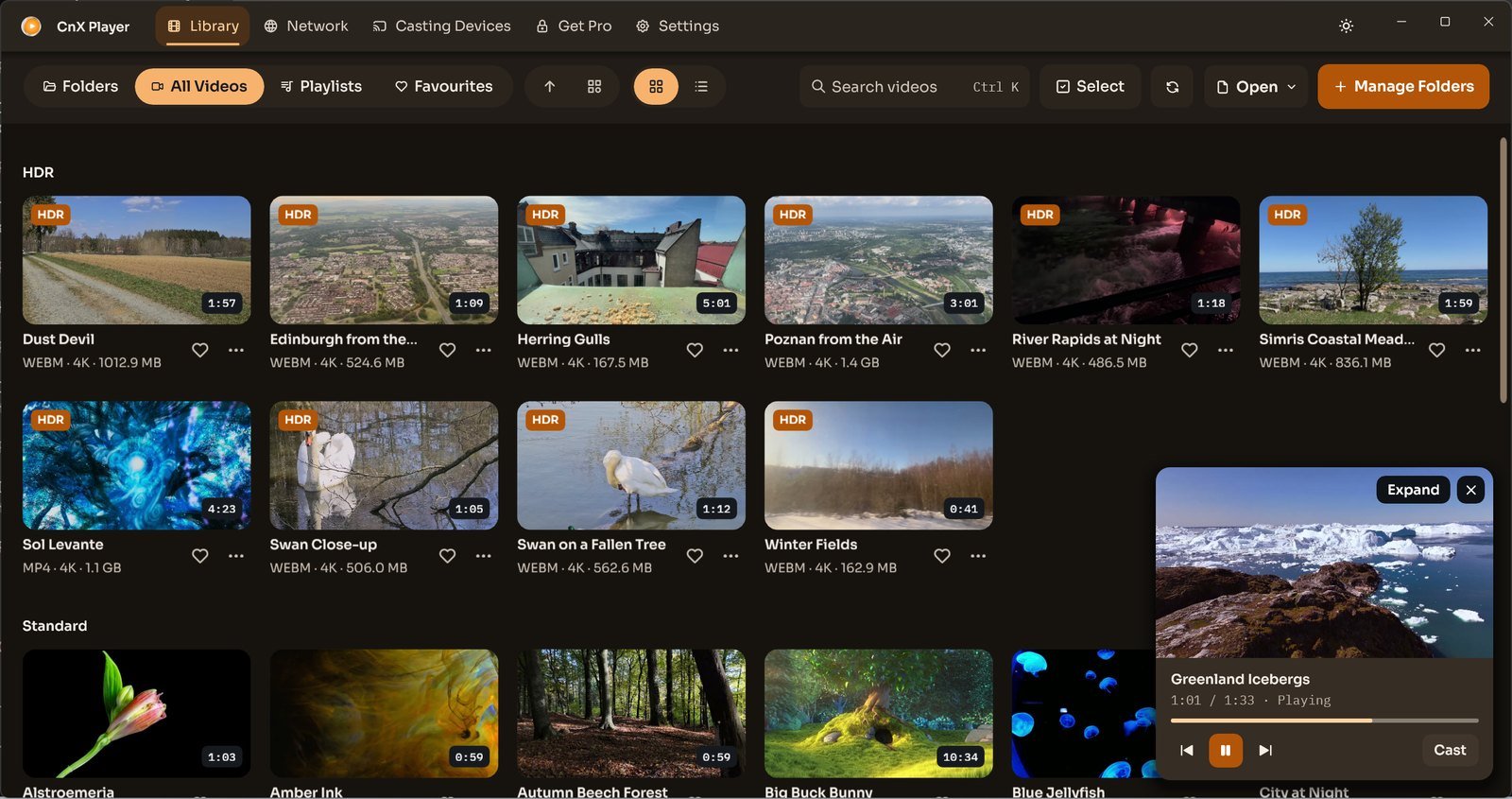
Watch in the mini player while browsing your library
CnX Player 5.0: keep watching in a mini player inside the library, use playback controls and expand back to the full player.
Read MoreVideos: PantheraLeo1359531 and Rose Abrams / Wikimedia Commons, CC BY 4.0; “Big Buck Bunny” and “Sintel” © Blender Foundation, CC BY 3.0; “Sol Levante” by Akira Saitoh, Production I.G / Netflix Open Content, CC BY 4.0.
Search videos in your Windows library
CnX Player 5.0: search your video library by name and check that the source folder is included when a video is missing.
Read MoreVideos: PantheraLeo1359531 and Rose Abrams / Wikimedia Commons, CC BY 4.0; “Big Buck Bunny” and “Sintel” © Blender Foundation, CC BY 3.0; “Sol Levante” by Akira Saitoh, Production I.G / Netflix Open Content, CC BY 4.0.
Hide or show videos in earlier Windows versions
Earlier Windows instructions for hiding folders from the CnX Player library. Hiding library items is not a security or access-control feature.
Read More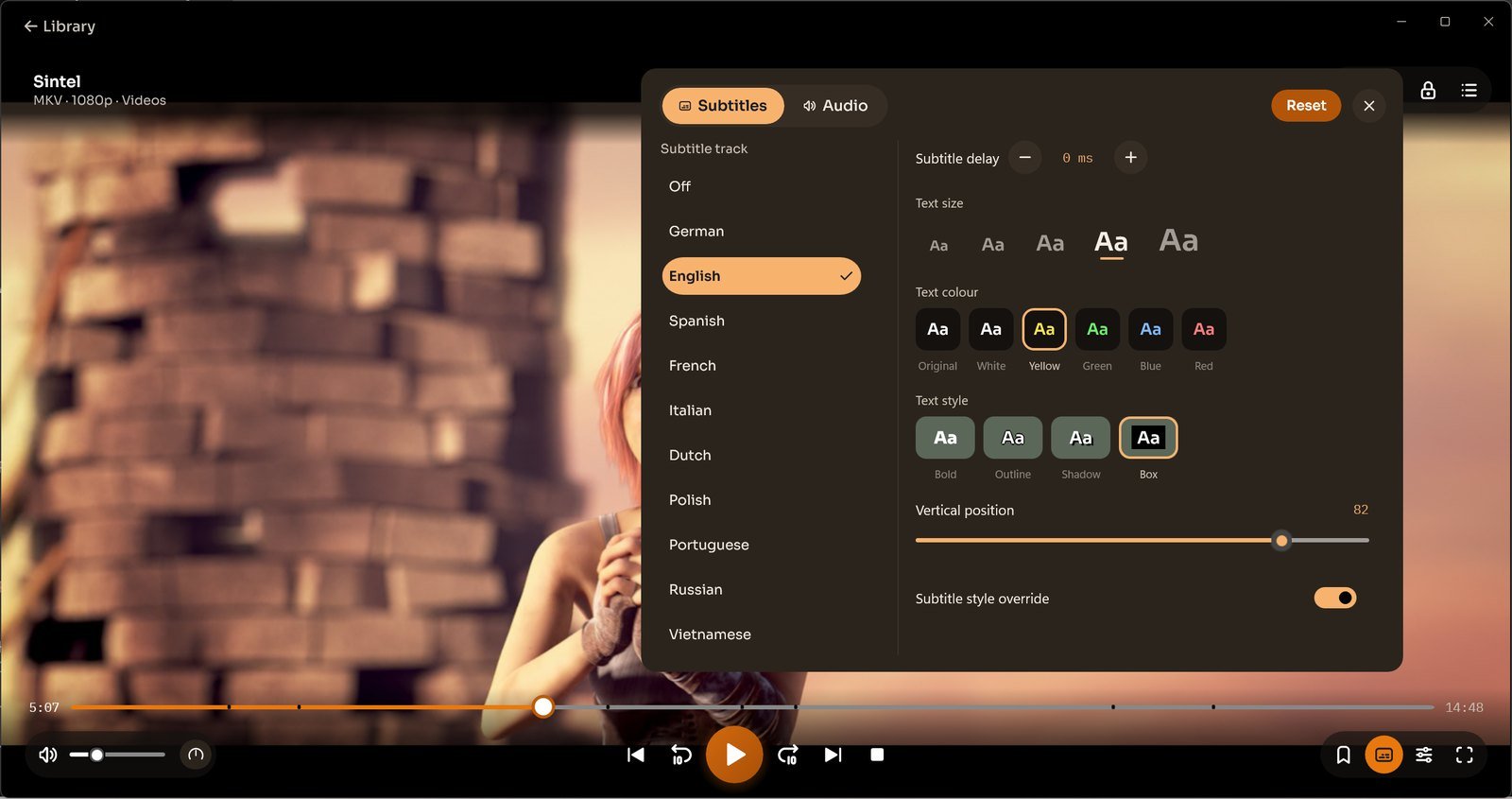
Add subtitles and adjust their appearance
CnX Player 5.0: select subtitles, adjust timing, size, colour and position, and choose preferred language and style settings.
Read More“Sintel” © copyright Blender Foundation | durian.blender.org, CC BY 3.0 (creativecommons.org/licenses/by/3.0).
Getting started with CnX Player for Windows
CnX Player 5.0: add your video folders, browse the Windows library and open a video. Casting and 10-bit HDR are Pro features.
Read MoreVideos: PantheraLeo1359531 and Rose Abrams / Wikimedia Commons, CC BY 4.0; “Big Buck Bunny” and “Sintel” © Blender Foundation, CC BY 3.0; “Sol Levante” by Akira Saitoh, Production I.G / Netflix Open Content, CC BY 4.0.
Manage watch history
CnX Player 5.0: find Clear watch history in Settings, General. Earlier History Count instructions are retained separately.
Read More
Choose subtitle languages in CnX Player
CnX Player 5.0: choose an available subtitle language, set appearance preferences and consult an earlier subtitle format reference.
Read More“Sintel” © copyright Blender Foundation | durian.blender.org, CC BY 3.0 (creativecommons.org/licenses/by/3.0).
Audio/Video Information
Video file formats supported by CnX Player
Understand video containers and codecs in CnX Player, consult the earlier format reference and troubleshoot files that do not play.
Read More
Video codec information and decoding
CnX Player video codec help: find video details and decoding settings, learn about 10-bit HDR, and consult a clearly labelled earlier codec reference.
Read More
Audio codec information
Understand audio codecs in CnX Player, find track and sound controls, and consult the clearly labelled earlier codec reference.
Read More“Sintel” © copyright Blender Foundation | durian.blender.org, CC BY 3.0 (creativecommons.org/licenses/by/3.0).
Troubleshoot video or audio playback
Troubleshoot CnX Player video and sound problems: check tracks, output and decoding, then collect file, app and device details for support.
Read More“Sintel” © copyright Blender Foundation | durian.blender.org, CC BY 3.0 (creativecommons.org/licenses/by/3.0).
Troubleshooting
Troubleshoot 10-bit HDR playback
Troubleshoot 10-bit HDR in the CnX Player 5.0: check your Pro plan, decoding and tone-mapping settings. Free trial on every video.
Read More
Videos missing from the library
Find missing CnX Player library videos: check folder contents, Windows read access, Manage Folders and the library refresh control.
Read MoreVideos: PantheraLeo1359531 and Rose Abrams / Wikimedia Commons, CC BY 4.0; “Big Buck Bunny” and “Sintel” © Blender Foundation, CC BY 3.0; “Sol Levante” by Akira Saitoh, Production I.G / Netflix Open Content, CC BY 4.0.
Make CnX Player your default video player
Earlier Windows 10 instructions for selecting CnX Player as a default video app. Default associations and settings differ across Windows versions.
Read MoreMedia Casting
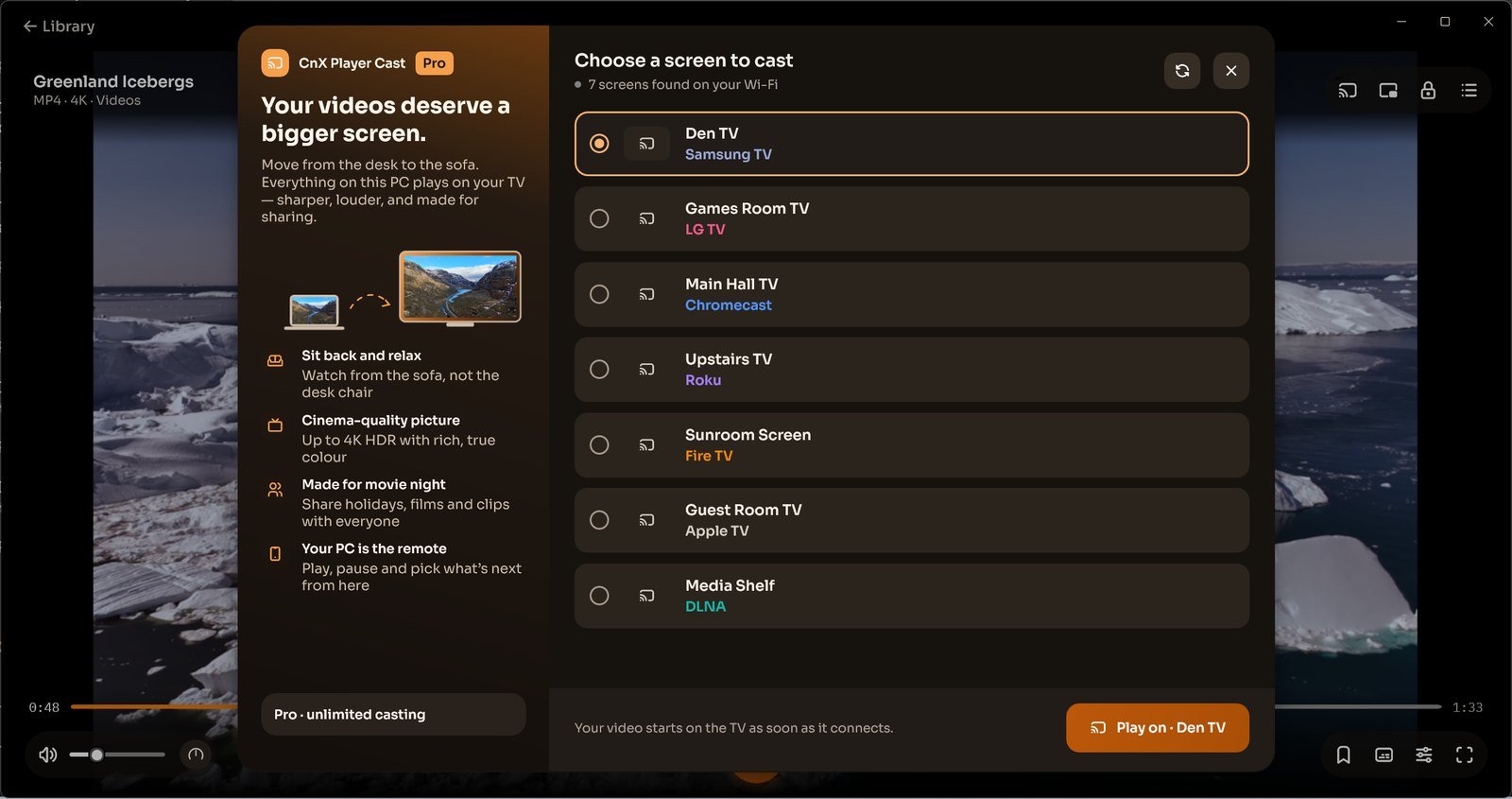
Cast video from a Windows PC to Fire TV
CnX Player 5.0: cast video from Windows to Fire TV on the same Wi-Fi. Casting is a Pro feature, with a free trial on every video.
Read More
Cast video from a Windows PC to Roku TV
CnX Player 5.0: cast video from Windows to Roku TV on the same Wi-Fi. Casting is a Pro feature, with a free trial on every video.
Read More
Cast video from a Windows PC to Android TV
CnX Player 5.0: cast video from Windows to Android TV on the same Wi-Fi. Casting is a Pro feature, with a free trial on every video.
Read More
Cast video from a Windows PC to Apple TV
CnX Player 5.0: cast video from Windows to Apple TV on the same Wi-Fi. Casting is a Pro feature, with a free trial on every video.
Read More
Cast video from a Windows PC to Chromecast
CnX Player 5.0: cast video from Windows to Chromecast on the same Wi-Fi. Casting is a Pro feature, with a free trial on every video.
Read More
Cast video from a Windows PC to a DLNA-enabled TV
CnX Player 5.0: cast video from Windows to DLNA-enabled TVs on the same Wi-Fi. Casting is a Pro feature, with a free trial on every video.
Read More
Cast video from a Windows PC to a supported smart TV
CnX Player 5.0: cast video from Windows to supported smart TVs on the same Wi-Fi. Casting is a Pro feature, with a free trial on every video.
Read More
Cast video from a Windows PC to an LG webOS TV
CnX Player 5.0: cast video from Windows to LG webOS TV on the same Wi-Fi. Casting is a Pro feature, with a free trial on every video.
Read More
Cast video from a Windows PC to a Samsung TV
CnX Player 5.0: cast video from Windows to Samsung TV on the same Wi-Fi. Casting is a Pro feature, with a free trial on every video.
Read More
Cast video from a Windows PC to NVIDIA TV
Check NVIDIA TV casting compatibility by receiver platform, then find a supported device from your Windows PC. CnX Pro casting offers a free trial on every video.
Read More
Cast video from a Windows PC to Jio TV
Check Jio TV casting compatibility by receiver platform, then find a supported device from your Windows PC. CnX Pro casting offers a free trial on every video.
Read More
Cast video from a Windows PC to an LG TV
CnX Player 5.0: cast video from Windows to LG TV on the same Wi-Fi. Casting is a Pro feature, with a free trial on every video.
Read More
Cast video from a Windows PC to a Kodak TV
Check Kodak TV casting compatibility by receiver platform, then find a supported device from your Windows PC. CnX Pro casting offers a free trial on every video.
Read More
Cast video from a Windows PC to a Philips TV
Check Philips TV casting compatibility by receiver platform, then find a supported device from your Windows PC. CnX Pro casting offers a free trial on every video.
Read More
Cast video from a Windows PC to a Sony TV
Check Sony TV casting compatibility by receiver platform, then find a supported device from your Windows PC. CnX Pro casting offers a free trial on every video.
Read More
Cast video from a Windows PC to a TCL TV
Check TCL TV casting compatibility by receiver platform, then find a supported device from your Windows PC. CnX Pro casting offers a free trial on every video.
Read More
Cast video from a Windows PC to a Toshiba TV
Check Toshiba TV casting compatibility by receiver platform, then find a supported device from your Windows PC. CnX Pro casting offers a free trial on every video.
Read More
Cast video from a Windows PC to a Mi TV
Check Mi TV casting compatibility by receiver platform, then find a supported device from your Windows PC. CnX Pro casting offers a free trial on every video.
Read More
Cast video from a Windows PC to a Panasonic TV
Check Panasonic TV casting compatibility by receiver platform, then find a supported device from your Windows PC. CnX Pro casting offers a free trial on every video.
Read More