
Windows help

Sort and group videos in the library

The Library toolbar brings search, sorting and grouping together. Sorting changes the order; grouping collects related items into sections.

Use the library sorting and grouping controls to arrange your collection. Group videos by HDR, resolution or folder. This example groups HDR videos separately from Standard videos.
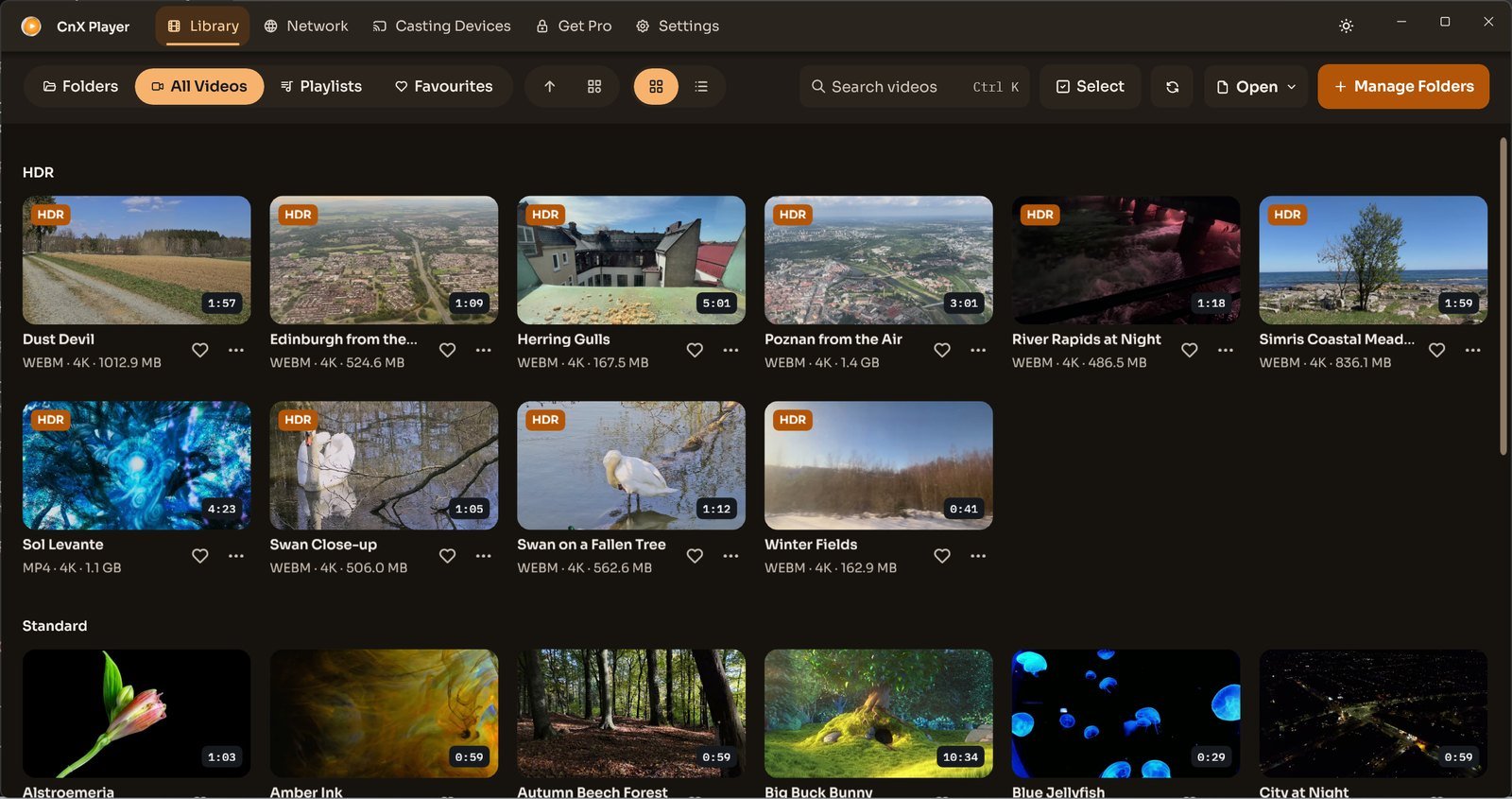
CnX's library grouped into HDR and Standard sections.
Grouped by HDR — CnX Player 5.0. Videos: PantheraLeo1359531 and Rose Abrams / Wikimedia Commons, CC BY 4.0; “Big Buck Bunny” and “Sintel” © Blender Foundation, CC BY 3.0; “Sol Levante” by Akira Saitoh, Production I.G / Netflix Open Content, CC BY 4.0.

Switch between grid and list to choose how video details are presented.

Related help

Get it fromMicrosoft Store