


CnX Player
CnX Player for Android - availability and earlier features
4K and Full HD playback
The earlier mobile version supported 4K Ultra HD and Full HD video playback. Results depend on codec, bitrate, device capabilities and available resources. How can i play 4K videos on my mobile ?


10-bit video in the earlier Android version
The earlier Android version listed 10-bit HEVC, H.264 and VP9 decoding as a Pro feature. Playback depends on the codec profile, video and device. This historical description does not establish future Android features or pricing. SDR 8 bit vs HDR 10-bit
Playback and device resources
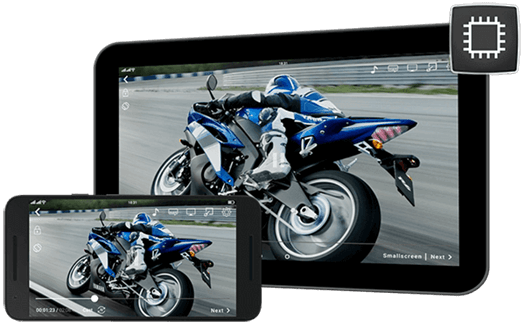
The earlier version used software decoding and hardware acceleration where supported. High-resolution and 10-bit playback can use substantial processing power. Smoothness and battery use depend on the device, video, settings and other activity; no particular battery saving or duration is promised. Earlier-version video Check out more on high quality Video Player

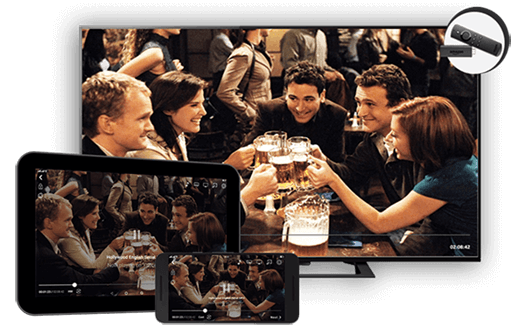
Casting to Amazon Fire TV
The earlier Android version offered Fire TV casting as a Pro feature, with playback control from the app and support for Fire TV remote controls. Both devices needed the same local network. Supported files and playback quality depend on the devices, video and network. Earlier-version video read more...
Casting to Chromecast
The earlier Android version offered Chromecast casting as a Pro feature for viewing supported videos on a larger screen. Both devices needed the same local network. Playback depends on the devices, video and network. Check here how to cast videos from mobile to TV. read more...


Network stream playback
The earlier Android version supported network URLs including HLS (.m3u8), MPEG DASH (.mpd) and HTTP progressive streams. Paste a supported URL into the streaming view. Access permissions, stream format, network conditions and installed version affect playback. How to play network streams ? Check here !
Picture and playback controls
The earlier version offered brightness, contrast and saturation controls; auto, crop and stretch modes; hardware/software decoder selection; and playback-speed controls. Available controls and results depend on the installed version and device. Earlier-version guide


Browse the gallery during playback
The earlier version let you browse the gallery during playback and select another video without first leaving playback.
Gesture controls
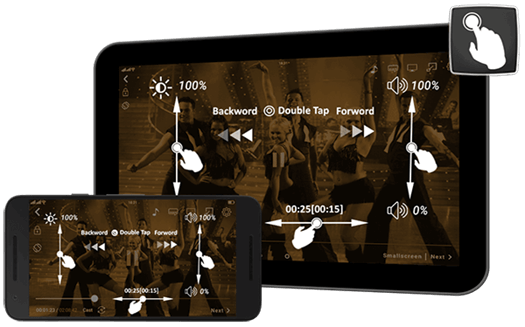
Easy playback control with Intuitive and simple gesture controls. Natural, easy-to-use multiple gesture controls like volume, brightness, double tap fast forward ,double tap rewind and seek make playback a breeze. Swipe up and down on left side of playing screen to adjust brightness as per your need. Control volume by swiping up and down on right side of screen. Double Tap on screen to fast forward or fast rewind video by 10 seconds on every tap. Seek video to the position from where you want to view. read more...

Subtitle tracks and files
The earlier version supported subtitle tracks and external files, language selection and appearance controls. Listed formats included SRT, SAMI, PGS and Timed Text. Display depends on the subtitle file, fonts and installed version. read more...
Hide/Show folders
Another awesome feature ! Want to customize which video folders the app should show and which ones it should hide ? This is just a single click task. Make CnX HDR video player as much personal as you want. View only those videos which you want to ! The red hidden folders will not show up in the file browsing view unless you choose to show(unhide) them. read more...


User Interface - The looks
Humans love change and so does CnX Media Player ! With multiple color themes available, it becomes so easy for you to change colors and enjoy altogether a new look of CnX 4K video player just within seconds.
Multitasking (Floating | Mini Player)
How about watching the video along with using some other apps too ? Or may be you are short of time and want to finish up multiple tasks on your phone/tablet along with watching a video ? Or maybe there's some boring stuff that's to be done on the device ? or may be something else!
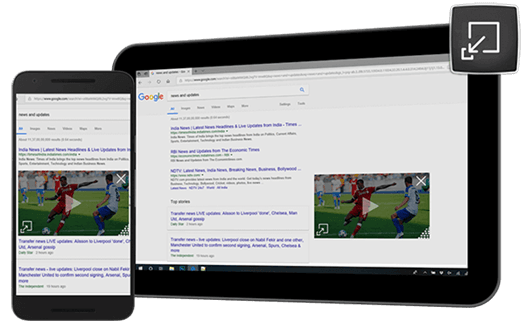
Enjoy multitasking by switching to mini player aka floating window player. On a single click you can minimize the video playback screen to the size that you want and enjoy the video in front and do parallel tasks at the backend! read more...

Personalized Library View
With so many media files coming in our phones & tablets, it sometimes become difficult to manage them. CnX HDR video player gives easy access to all videos available in your phone or tablet by simply switching the view mode to folder view or list view or album view. Sort videos by name, size and date. Read more...
Searching or deleting videos make things even easier. Select multiple files to delete them together. Videos deleted though CnX player will be deleted from the phone storage also. read More...
Video file formats
The earlier Android version listed containers including MKV, WebM, MOV, FLV, MP4, XVID, AVI, M4V, TS, WMV and ASF. Container support does not guarantee every encoded file will play. Codec profile, device resources and installed version affect compatibility. Earlier-version video


Video Transfer with Wifi
Enjoy the hassle free transfer of videos between phones, tablets and PCs without wires. CnX Player provides wireless transfer functionality which helps to transfer videos to your device from another device using a compatible browser on Windows, Mac, Linux or Android or vice-versa. Additionally you can manage device video collection from another PC or mobile device.
Note: Wireless transfer works only if both devices are on same Wifi network. read more...
History
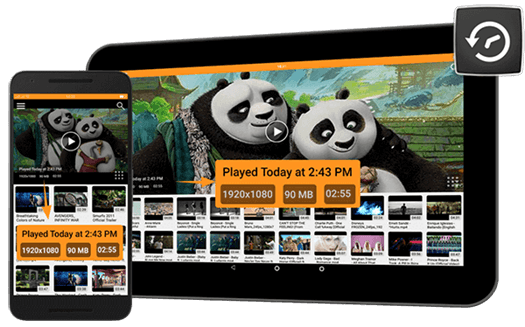
CnX Video Player provides quick accessibility to recently played videos, additionally it maintains time and date of videos. You can customize the number of videos to maintain in history. Obviously you can clean history if you don't want any one to see. read more...

Playback screen lock
The earlier version offered a screen lock to reduce accidental touch input during video playback. See the retained guide for its controls. read More...
Switch Audio Track
Enjoy watching movies in your own preferred language by simply switching the audio track of video (if available) ! CnX Player's simple user interface makes it convenient for its users to switch between different languages . read more...


Video and audio codec support
The earlier version listed HEVC/H.265, VP9, H.264/AVC, MPEG-4, MPEG-2 and VP8 video support, using software decoding and hardware acceleration where available. Listed audio formats included AAC-LC, HE-AACv1, HE-AACv2, MP3, MP2, MP1 and Ogg Vorbis. Individual files, codec profiles and 10-bit playback depend on the device and installed version.