


The queue shows the current video and what plays next. In the 5.0 it opens beside the player, with the playing item highlighted and a shuffle control at the top.
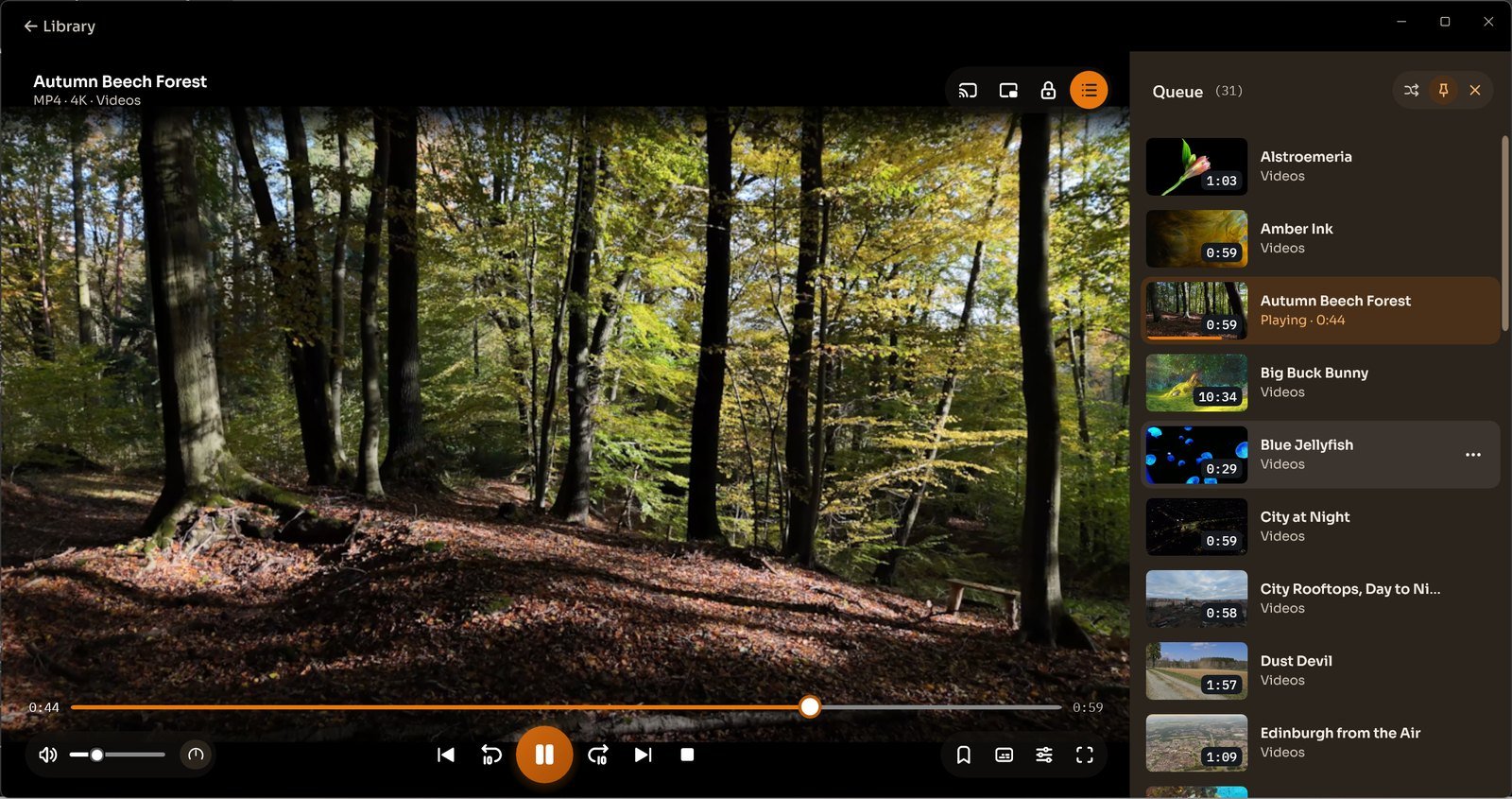
Shuffle the line-up, let one video follow another, and save the queue as a playlist. Library has a dedicated Playlists view.
Earlier Windows versions
Earlier-version guide. These instructions describe the previous Windows interface; controls in 5.0 may differ. The earlier None, One and All loop settings differ from the queue overview above.
How to play videos in loop ?
- Click on Settings button on full screen video playback.
- Select Loop option from the menu.
- a) None : Only the current video will play.
- b) One : Currently played video will be played in loop continuously.
- c) All: Next video in the list will be automatically played when the current video is over.
