


If a video includes more than one audio track, choose the track you want in the player’s Audio tab.
- Open the tracks panel and select Audio.
- Choose an available track on the left. The example has an English 5.1 track; the list depends on the file.
- If sound and picture are out of sync, adjust Audio delay.
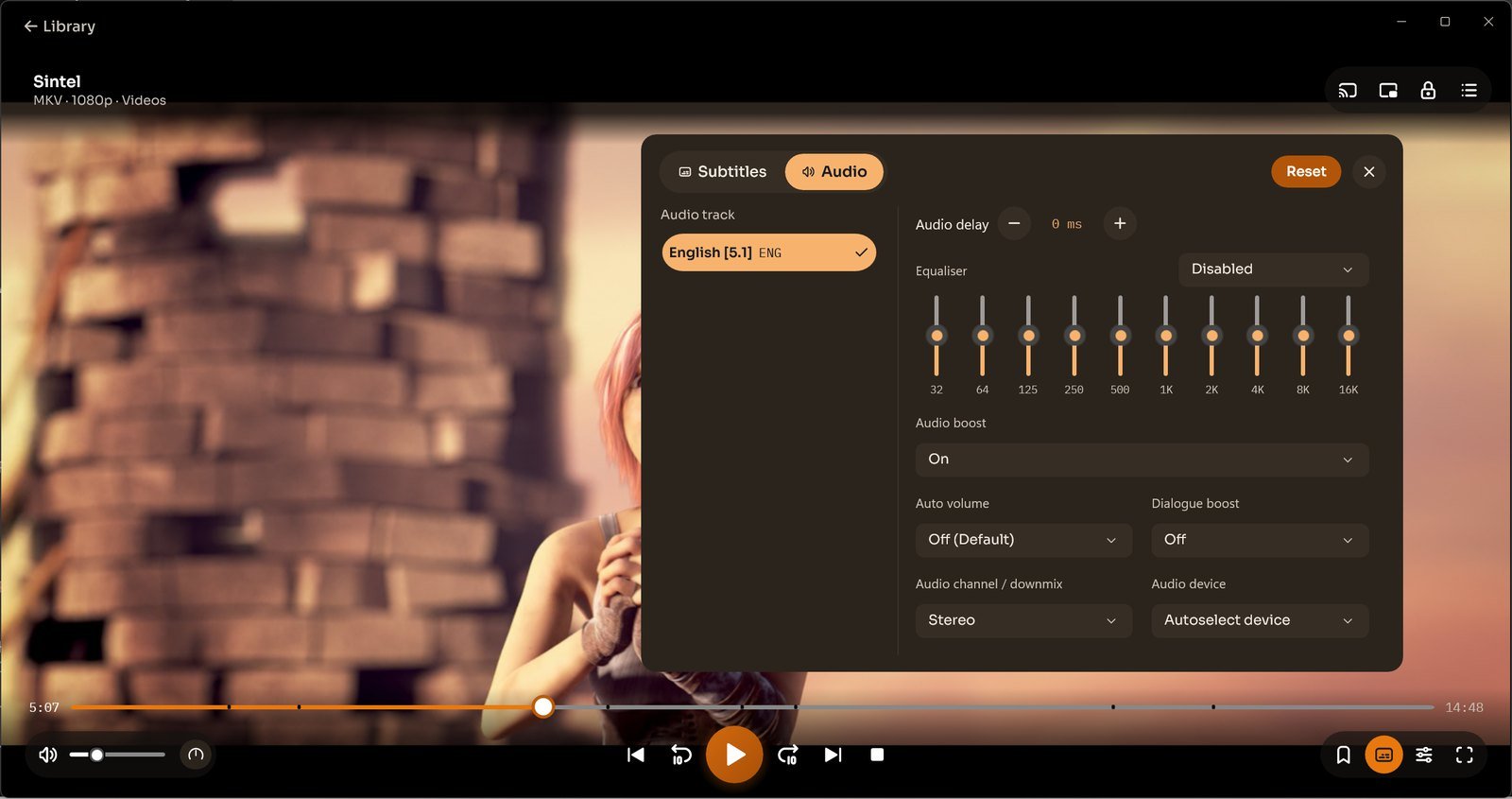
Sound controls
The panel includes a 10-band equaliser, Audio boost, Auto volume, Dialogue boost, Audio channel / downmix and Audio device. Adjust the sound or choose an output device while watching.
