


To cast from Windows to a Sony TV, first identify the TV or connected receiver’s casting platform. The brand name alone does not establish compatibility.
Casting and 10-bit HDR are CnX Pro features, with a free trial on every video. Check the app for the options available to you.
The CnX Player 5.0 supports Chromecast, Google TV, Android TV, Fire TV, Roku, Apple TV, Samsung, LG and DLNA. Compatibility depends on your particular TV or connected receiver. If your device offers one of those destinations, look for it in CnX’s cast picker. Check your model’s casting platform before connecting.
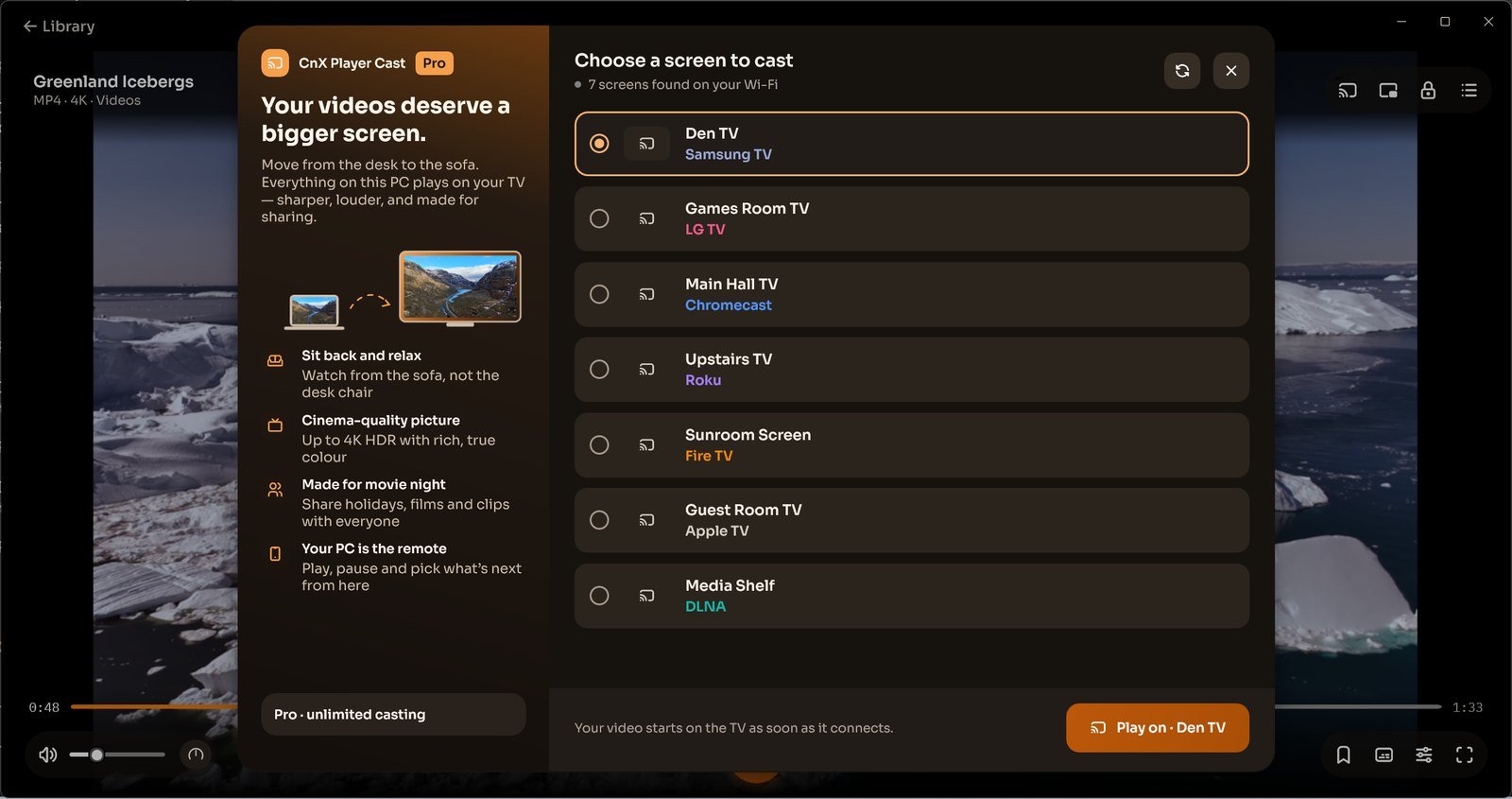
Choose a screen to cast
- Turn on the TV or receiver and connect it to the same Wi-Fi as your Windows PC.
- Open your video in CnX Player and use Cast.
- In Choose a screen to cast, select your device. Use the displayed Play on action to connect.
- Control playback from your PC. Check the result on the TV before continuing with a longer video.
TV preferences and missing devices
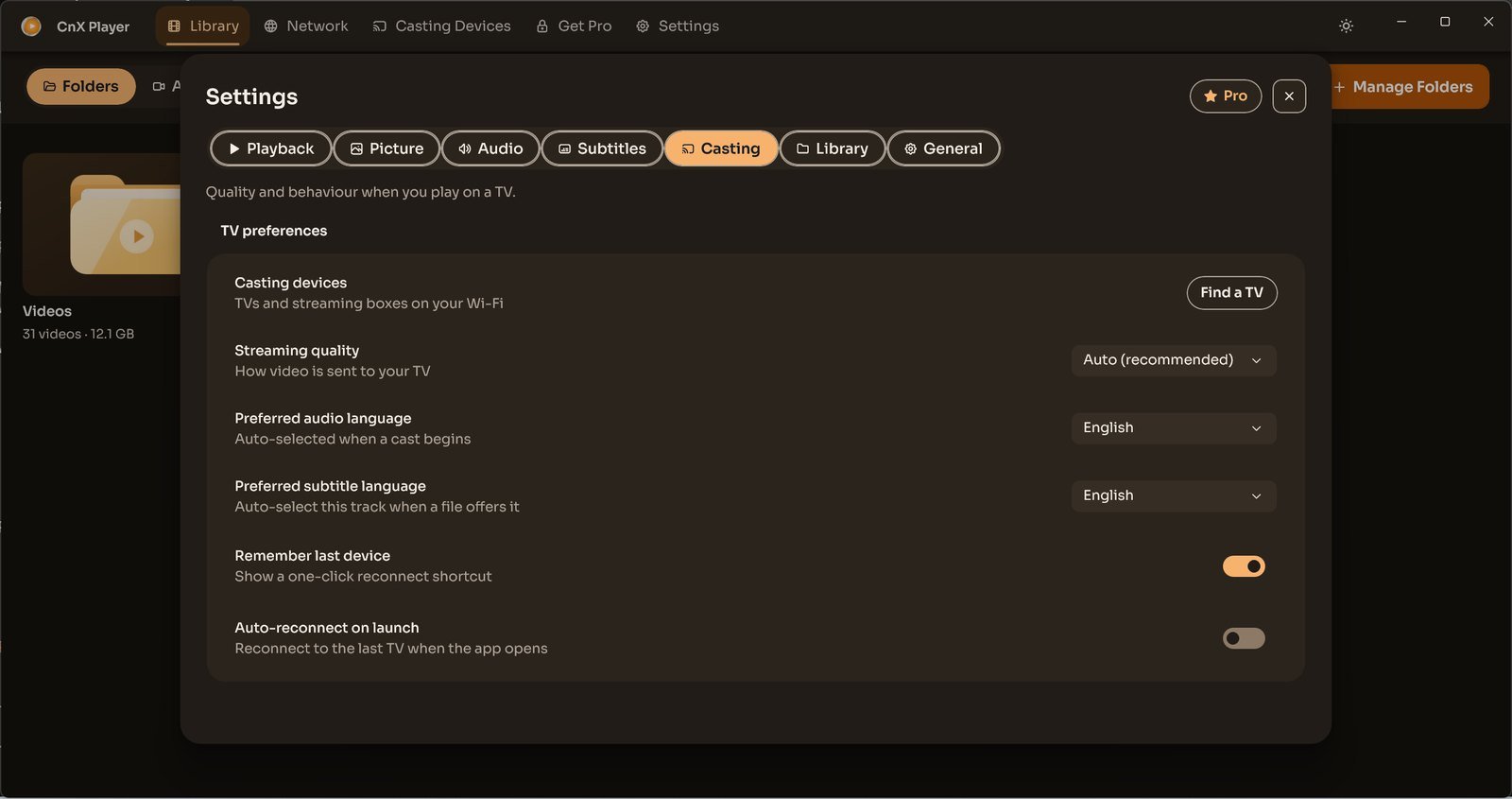
Settings → Casting includes Find a TV, Streaming quality, preferred audio and subtitle languages, Remember last device and Auto-reconnect on launch. Preferred languages apply when the file offers those tracks.
If your TV is missing, confirm it is on the same Wi-Fi, then refresh the cast list. If it still does not appear, note its model and receiver platform when contacting support@cnxplayer.com. Earlier brand-specific home-screen icons and mandatory PIN steps are not instructions for this new picker.
