


Choose an available language in the player’s Subtitles tab. You can also add an external subtitle file. A language must be present in the video or file you add.
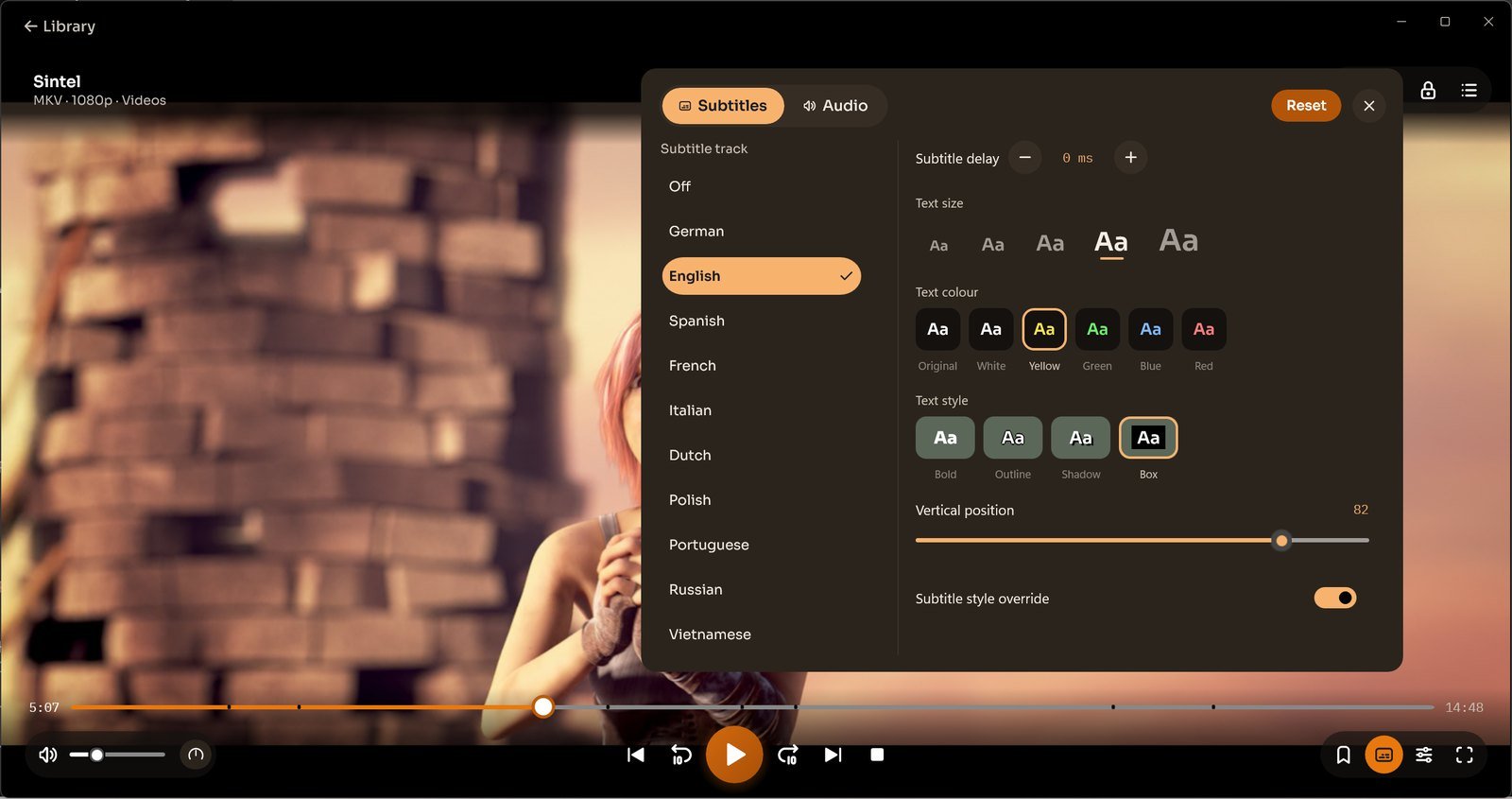
Use Settings → Subtitles for preferred language and appearance defaults. Adjust delay, text size, colour, style and position from the player.
Earlier subtitle format reference
The previous Windows guide listed external SRT, SSA and ASS, and internal SRT, XSVB, SUBRIP, SSA, ASS, SAMI, PGS, TEXT, PJS, JACOSUB, Real Text, SUBVIEWER, SUBVIEWER1 and HDMV_TEXT. This list describes earlier versions; compatibility depends on the particular file.
