


The CnX Player 5.0 supports casting to LG. Find a compatible device on the same Wi-Fi and control playback from your PC.
Casting and 10-bit HDR are CnX Pro features, with a free trial on every video. Check the app for the options available to you.
Support for a destination family does not guarantee every TV model, file or network setup. Casting is up to 4K HDR where the file and playback setup support it.
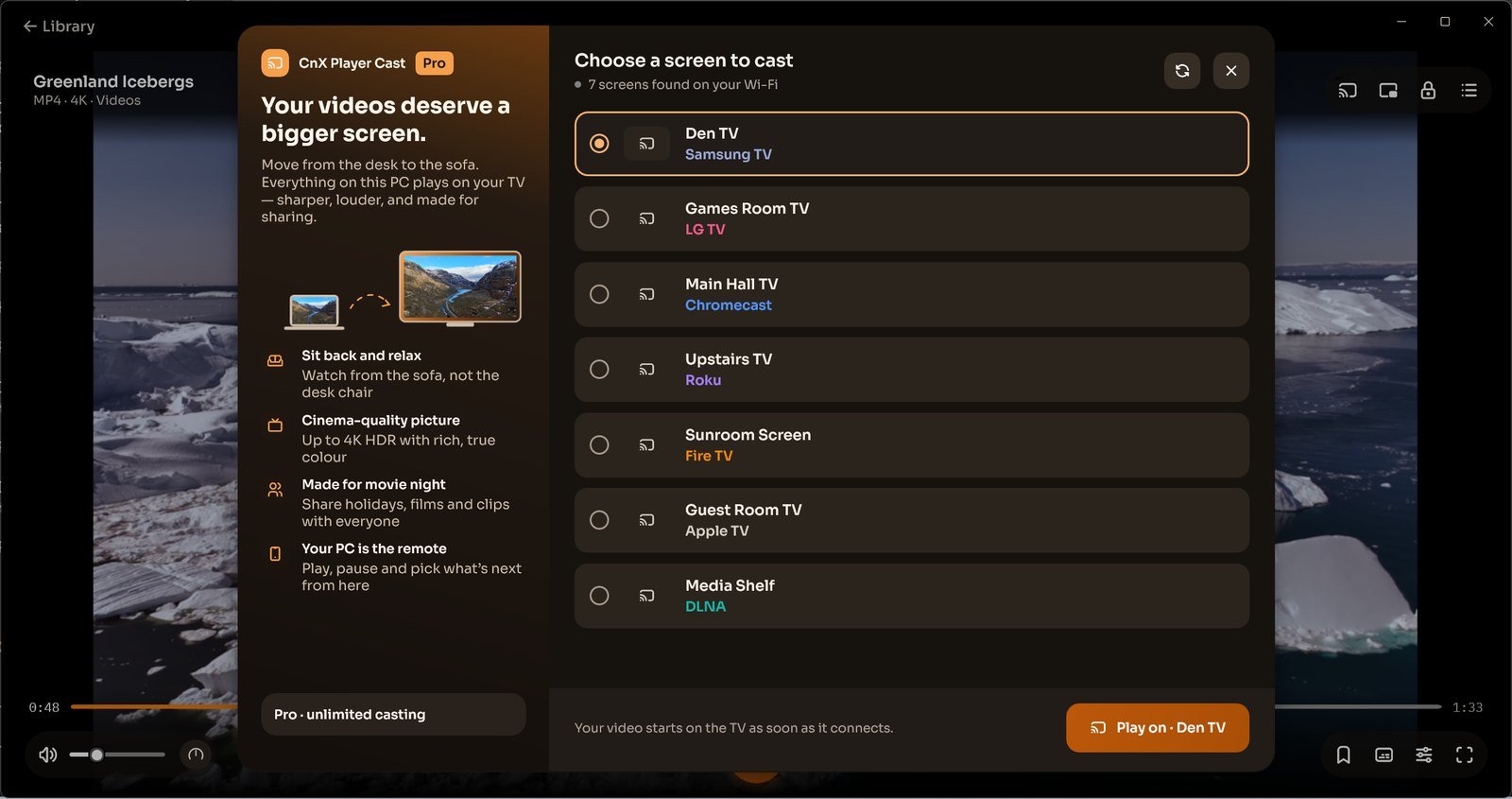
Choose a screen to cast
- Turn on the TV or receiver and connect it to the same Wi-Fi as your Windows PC.
- Open your video in CnX Player and use Cast.
- In Choose a screen to cast, select your device. Use the displayed Play on action to connect.
- Control playback from your PC. Check the result on the TV before continuing with a longer video.
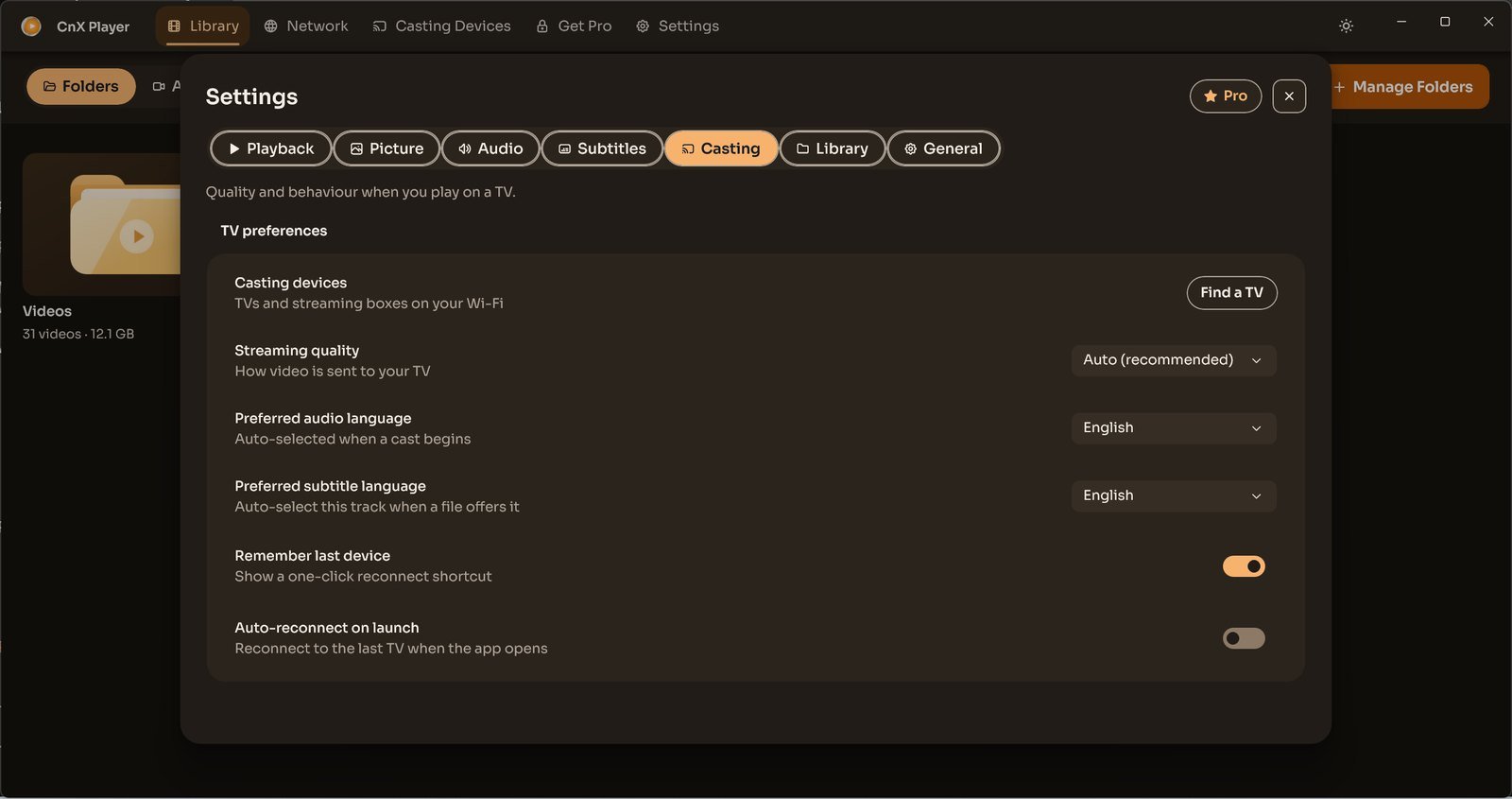
TV preferences and missing devices
Settings → Casting includes Find a TV, Streaming quality, preferred audio and subtitle languages, Remember last device and Auto-reconnect on launch. Preferred languages apply when the file offers those tracks.
If your TV is missing, confirm it is on the same Wi-Fi, then refresh the cast list. If it still does not appear, note its model and receiver platform when contacting support@cnxplayer.com. Earlier brand-specific home-screen icons and mandatory PIN steps are not instructions for this new picker.
