


iPhone / iPad help archive
iPhone / iPad help archive topics
Add Media
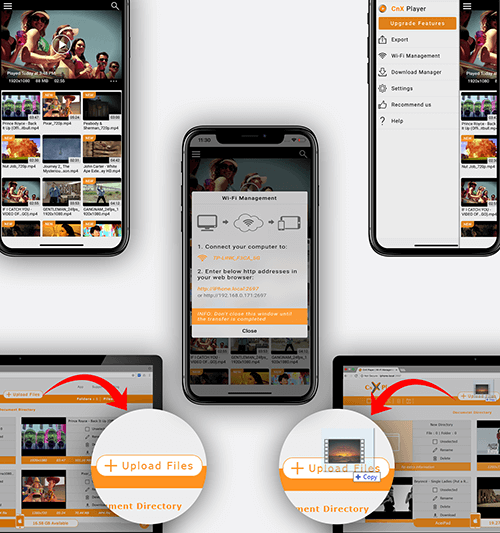
Add media via Browser
How to transfer media without wires between PC and iPhone/iPad ? CnX Media Storage can be accessible from the PC via browser when your device and PC will be connected to same wi-fi network and then you can add media to your application easily. The featur
Read More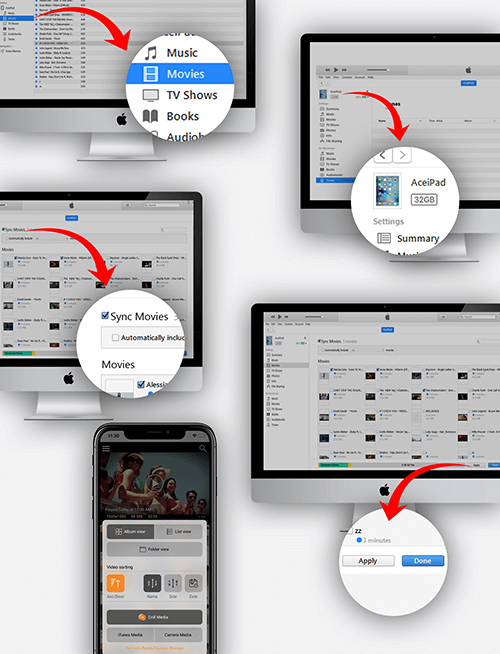
Add media via iTunes sync
How to transfer videos from PC to iPhone/iPad using iTunes sync ? CnX Player has the feature to play the videos which is in iTunes Storage. You can switch the video storage within the application from the more option feature. Our platform allows you to a
Read More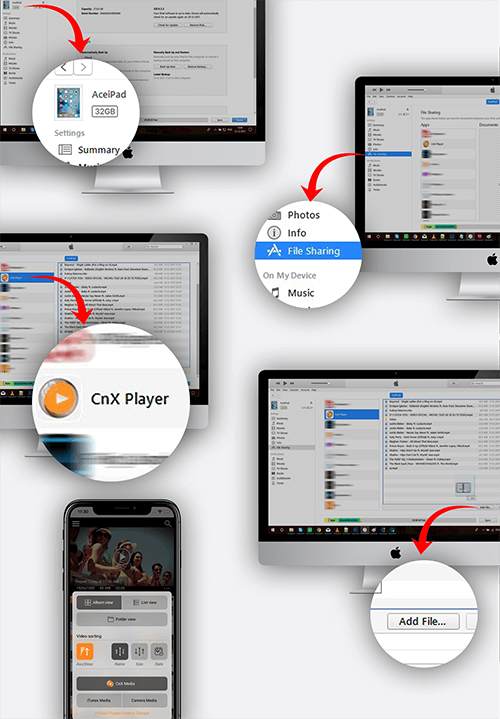
Add media via File sharing
How to transfer videos from PC to iPhone/iPad using iTunes File sharing ? CnX Player lets you play all kind of file formats which other media players or the default player can not play Or even we can say they don’t even allow to transfer some kind of fil
Read More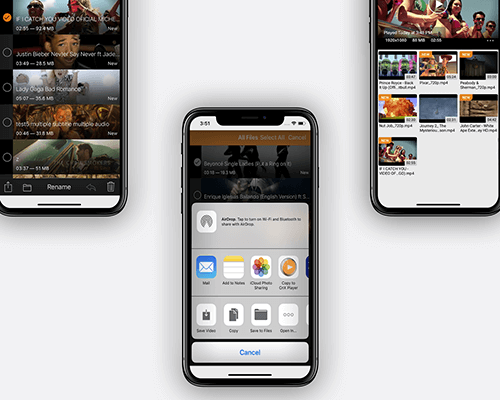
Airdrop - Add media via other apps using
How to import media from other apps to CnX Player ? CnX Player 2.0 supports the feature due to which now you can easily transfer the video files from other apps into CnX player. Follow the below steps to copy video into the application from the other ap
Read MoreMedia Casting
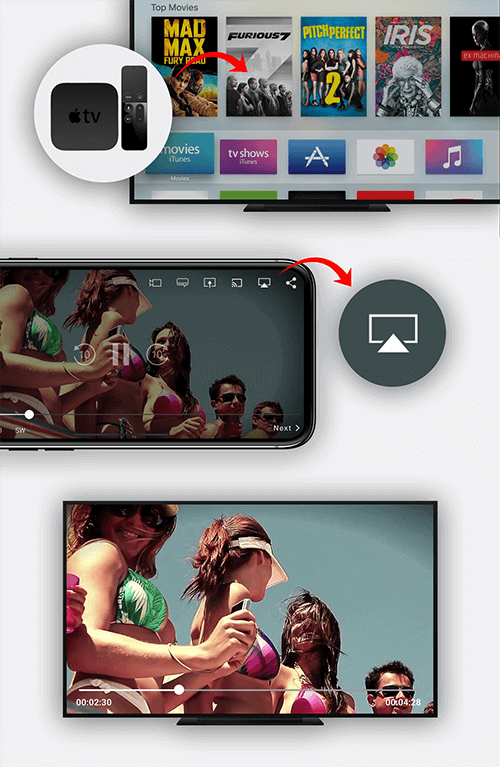
Airplay - Apple TV casting (Free)
How to Airplay videos on Apple TV ? CnX Player offers FREE AIRPLAY on AppleTV with Apple TV remote control support ! Using CnX Player Airplay feature you can easily cast your favourite videos to your TV and can enjoy the video at big screen at no extra
Read More
ChromeCast Casting
Is it possible to watch/cast video using Google ChromeCast via iPhone/iPad ? Yes ! CnX Player comes with an exciting feature through which you can easily enjoy your favorite videos in your iPhone/iPad on a bigger screen like a TV by using Google ChromeCa
Read More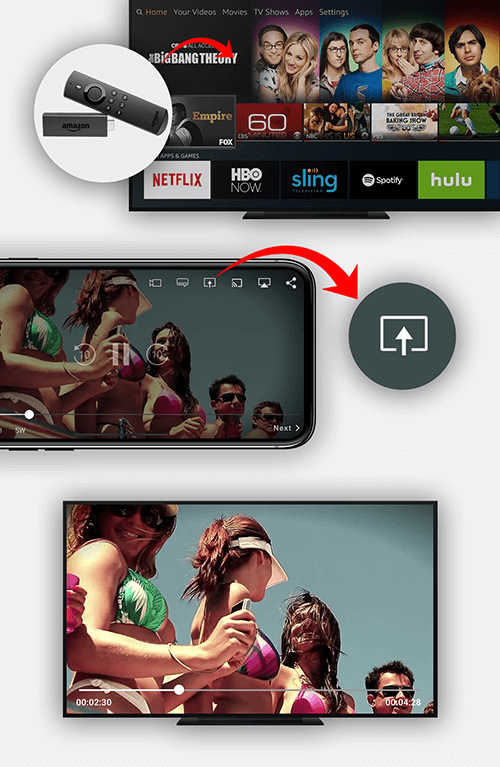
Amazon Fire TV Casting
Is it possible to watch/cast video using Amazon Fire TV via iPhone/iPad ? Yes ! CnX Player is the ONLY video player that comes with an exciting feature with which you can easily enjoy your favorite videos in your iPhone/iPad on a bigger screen like a TV
Read MoreGeneral
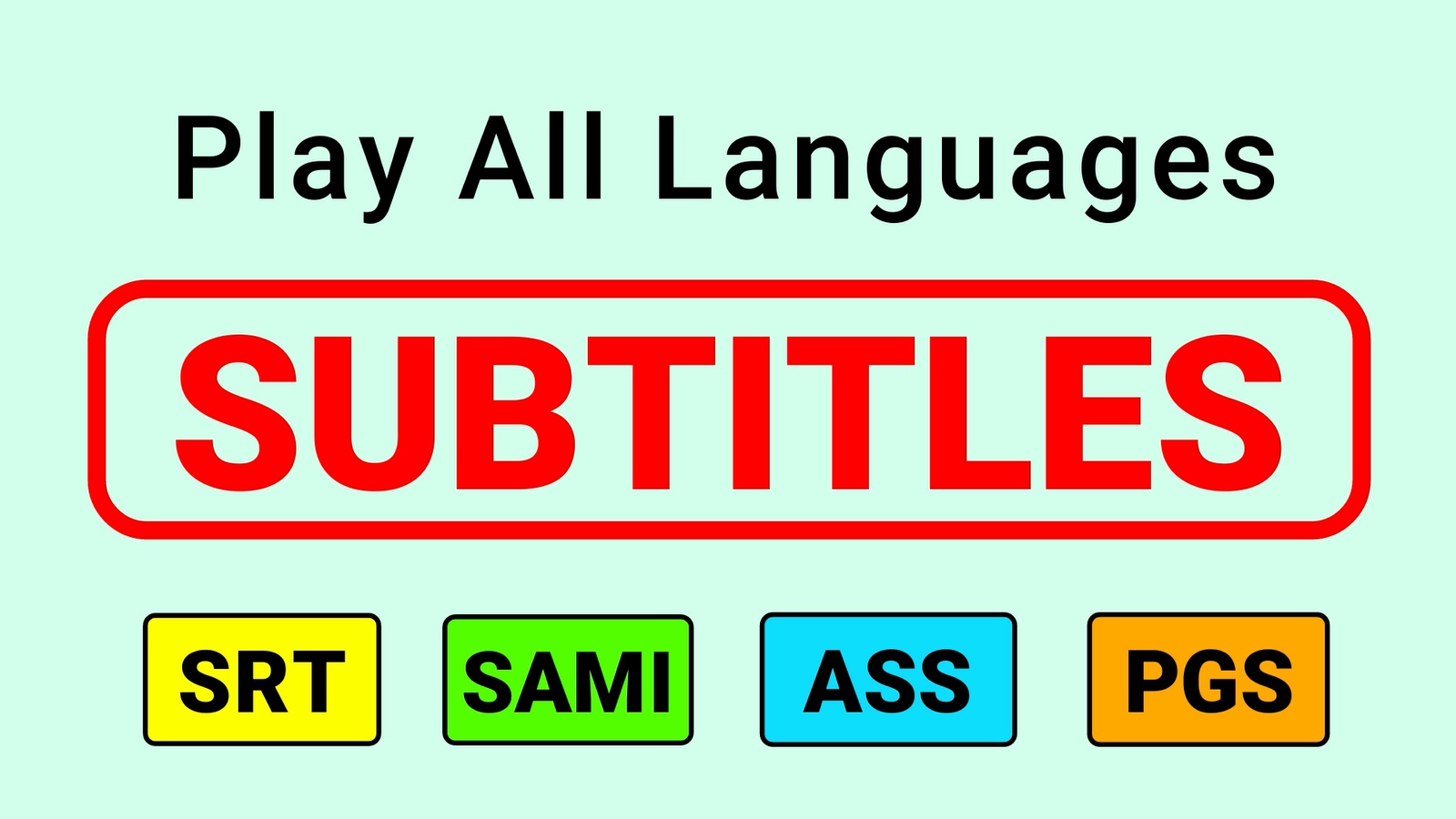
External subtitle
How to attach external subtitles to the video ? CnX Player support the external subtitle files. You can easily port the subtitle file from outside to the video playing screen by just copying that file into the “Document Directory” of the application usin
Read More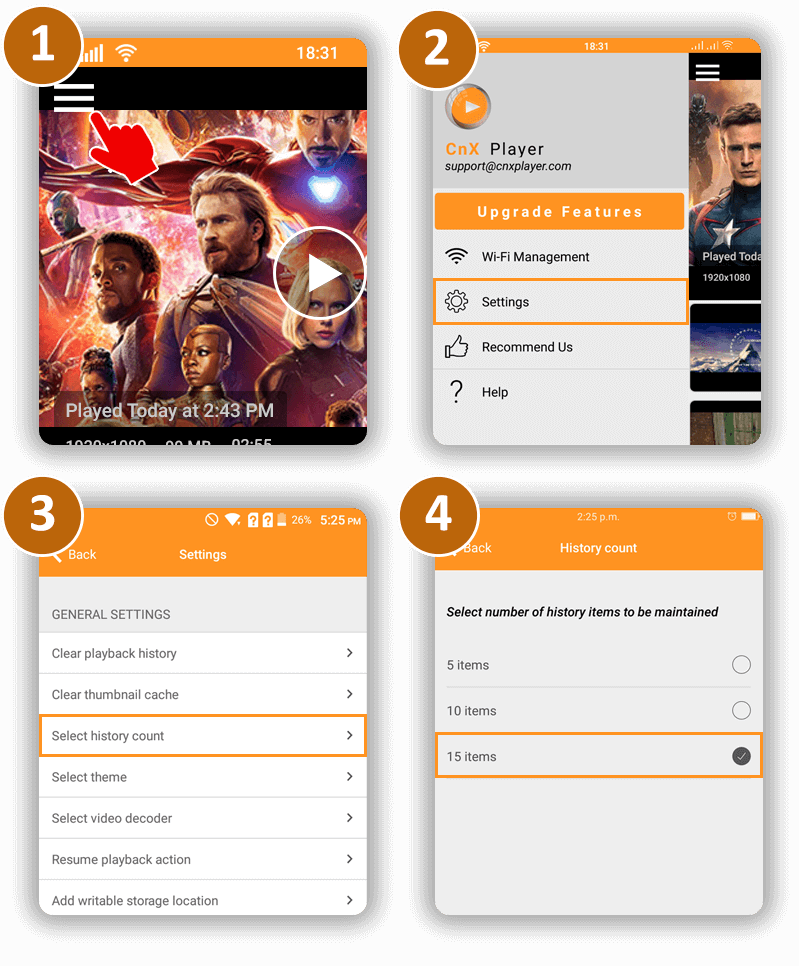
Search Videos
How to search video in CnX Player? You can search videos by name of the video. 1. Click on the search button on main home screen. 2. There will be a search bar on top of the screen, enter name of the video you are searching for. 3. Videos matching the t
Read More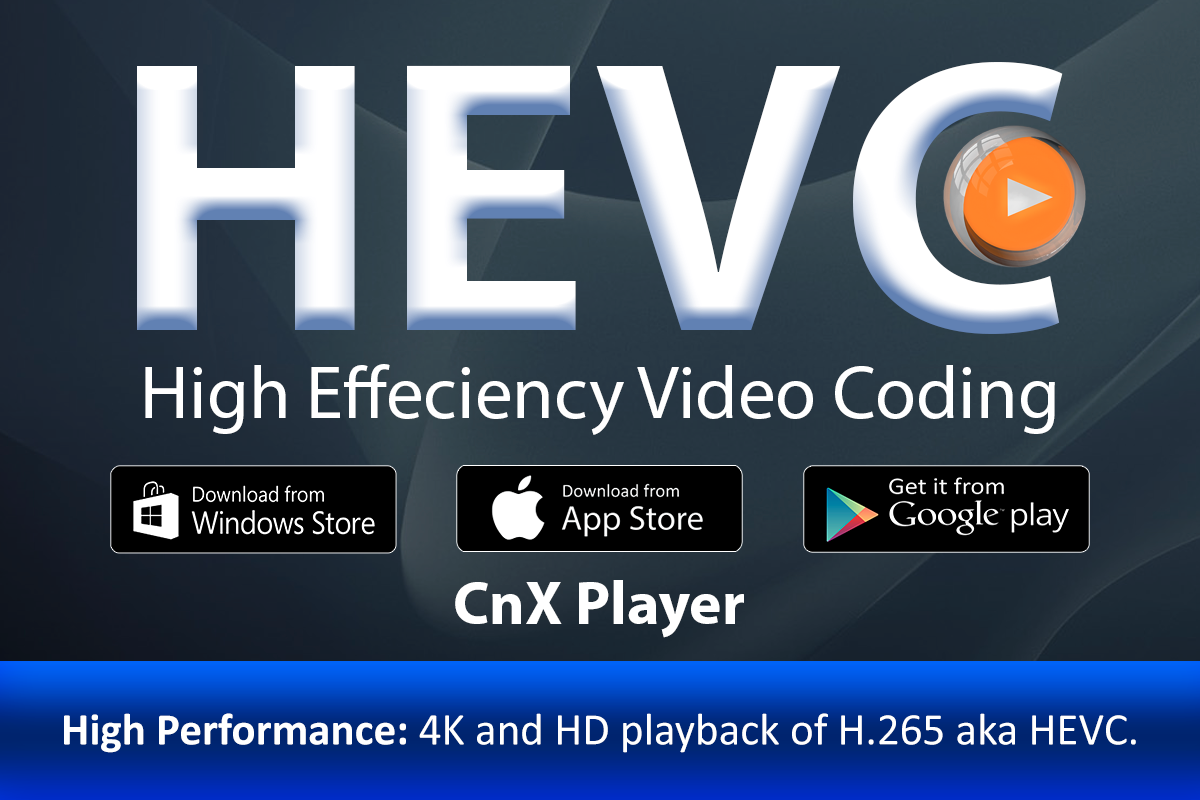
How to transfer HEVC videos to iPhone,iPad?
HEVC (High-Efficiency Video Coding), also known as H.265, is a video compression standard that promises a 50% better compression rate with 0 quality loss. Imagine – what if a movie, that’s in absolutely stunning quality, could take up 50% less space? For
Read MoreAudio/Video Information

Video formats supported
Which all video formats does CnX Player plays ? With so much different file formats available today, it becomes really important to have a media player on your phone or tablet that can play them all seamlessly. You would of course want to avoid hours of
Read More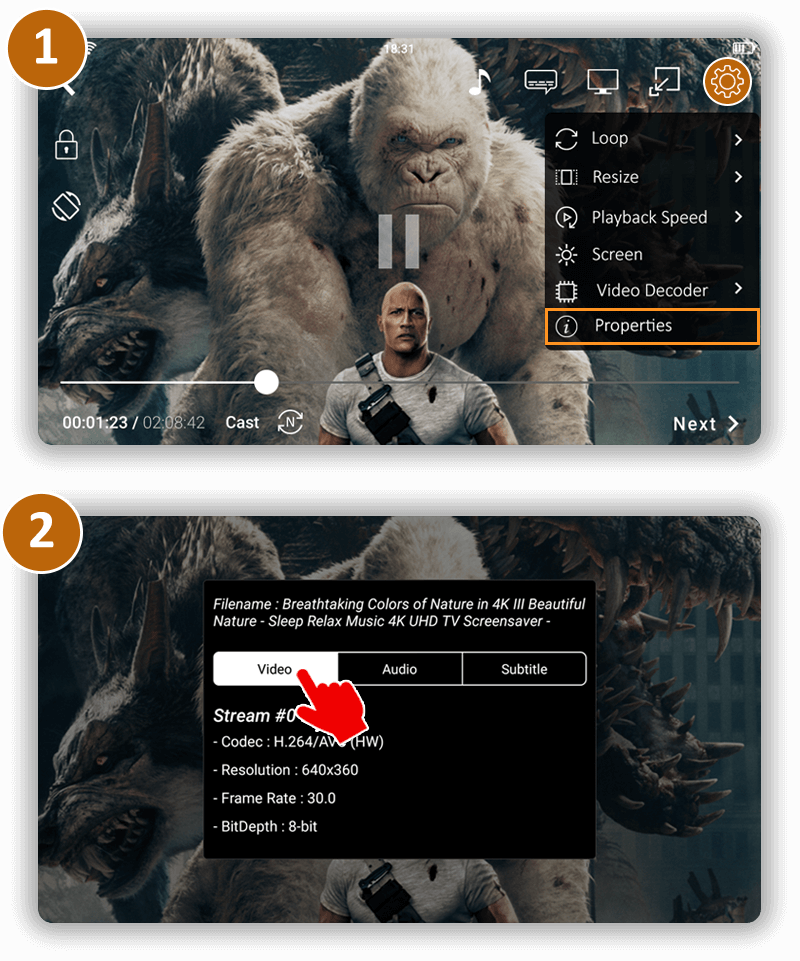
Video Codecs supported
How to find video codec information of the video being played? To check the video codec information of a video, follow the following steps: 1. Click on
Read More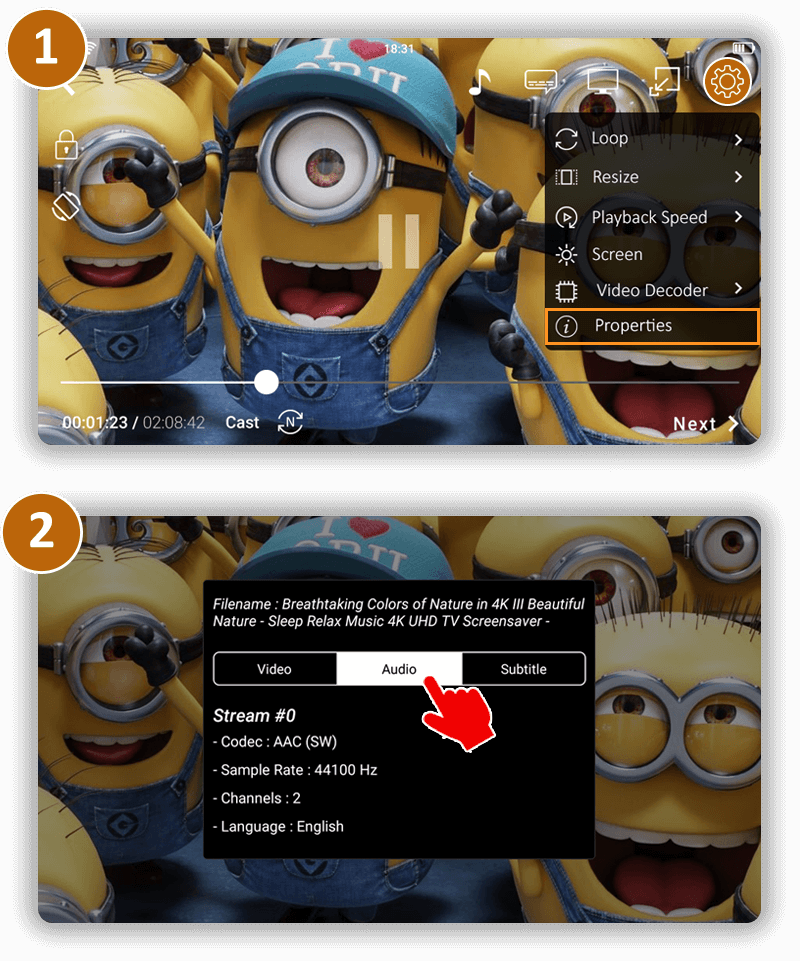
Audio codecs
How to find out audio codec information of the video being played ? To check the audio codec information of a video, follow the following steps: 1. Click on
Read MorePlaying screen video options

Playback speed
How to change the video playback speed ? Changing the video playback speed in CnX Player is pretty simple. Just follow the steps below: 1. Tap on the settings button on video playback screen(full screen view). 2. A popup will appear with various setting
Read More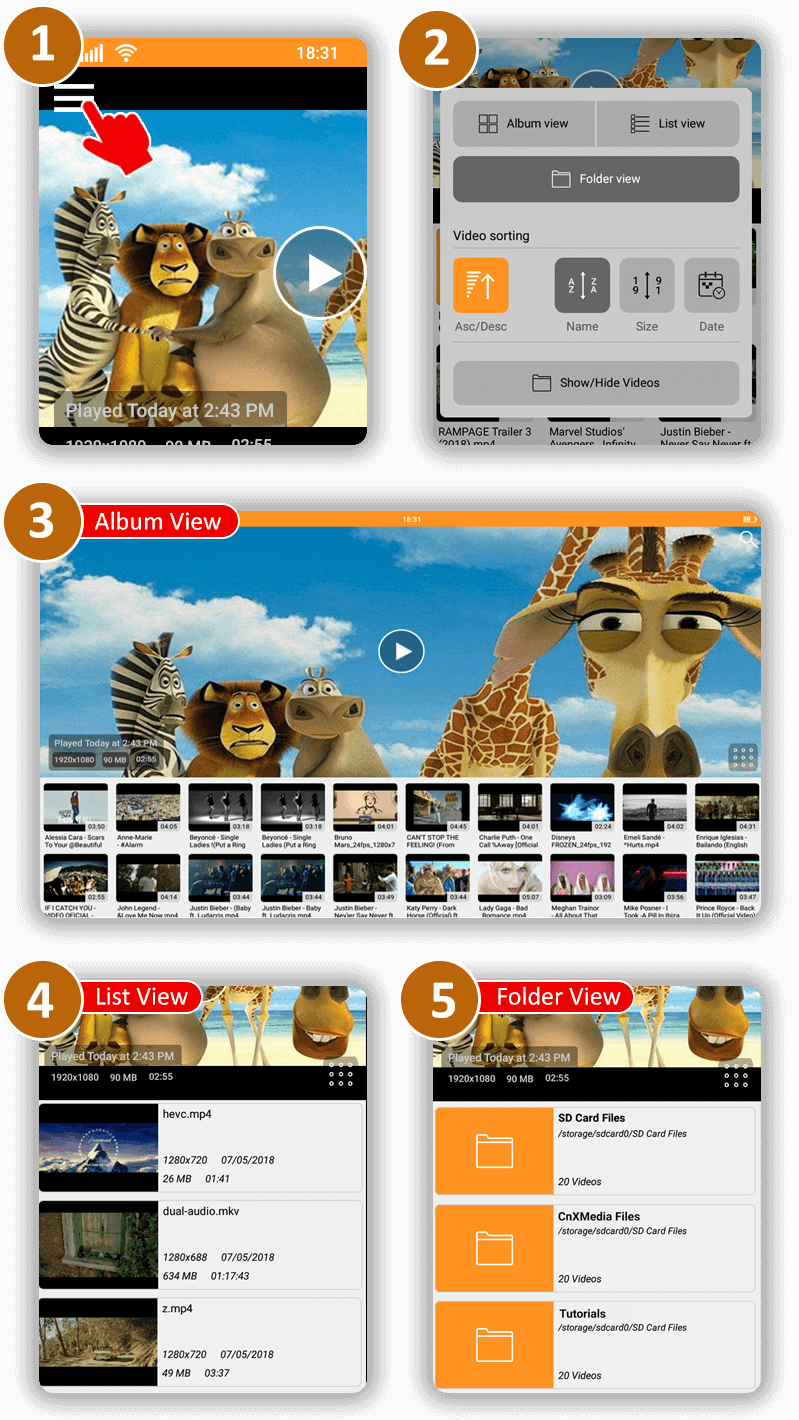
Personalized video view options
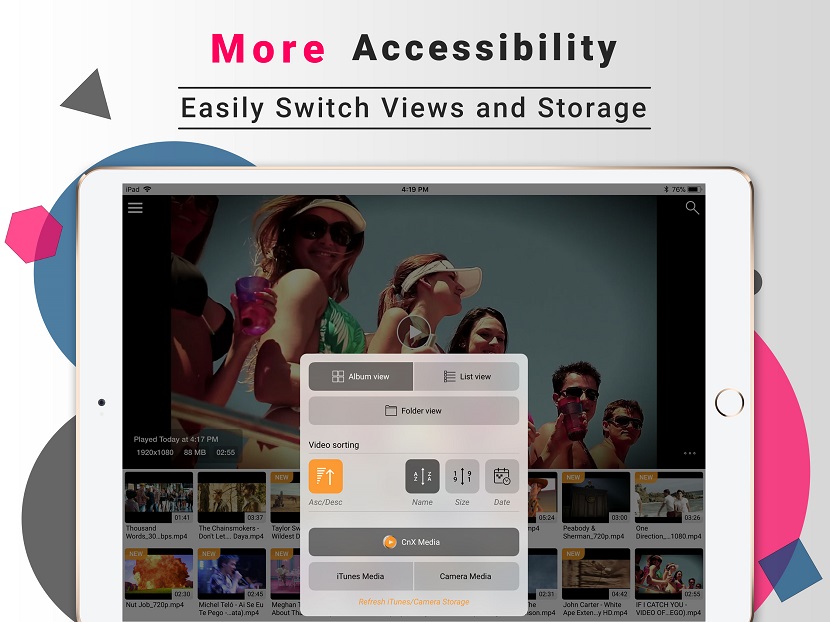
How to switch between different view options of the video gallery ? CnX Player provides a great accessibility through which you can experience your videos collection in different views. Follow the below steps to change the view of video container repres
Read More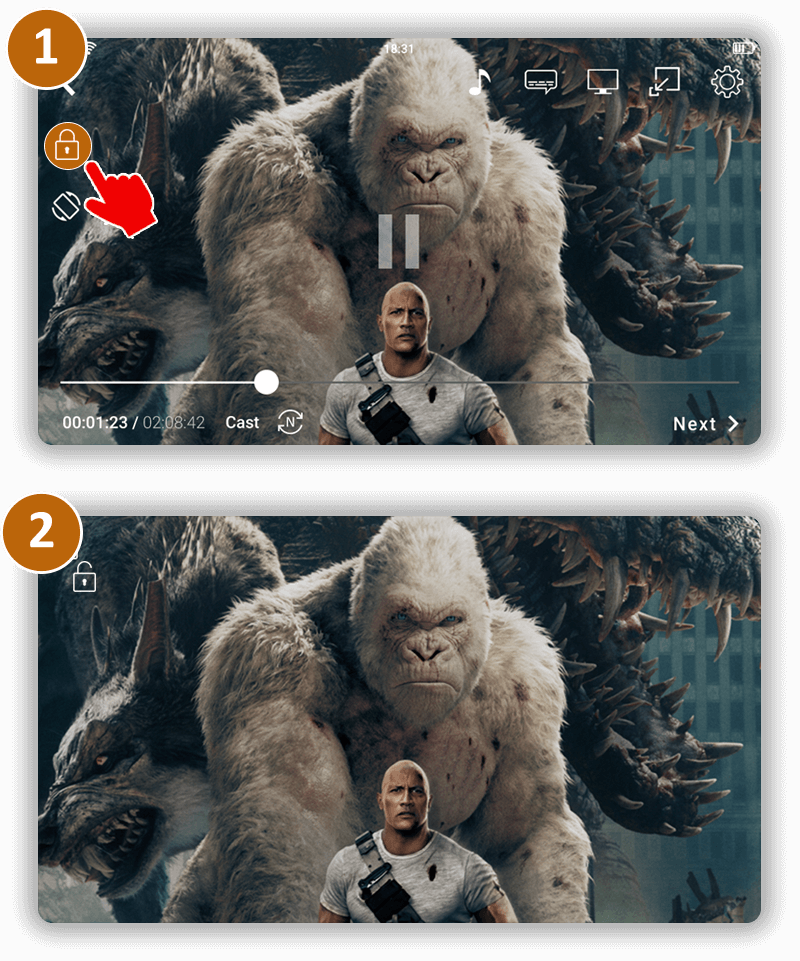
Child (Screen) lock
Is it possible to disable/lock touch screen while watching video ? Yes it is possible in CnX Player to lock the touch screen when the video is being played. Click on the lock icon to lock/unlock the screen. This feature gives an uninterrupted viewing e
Read More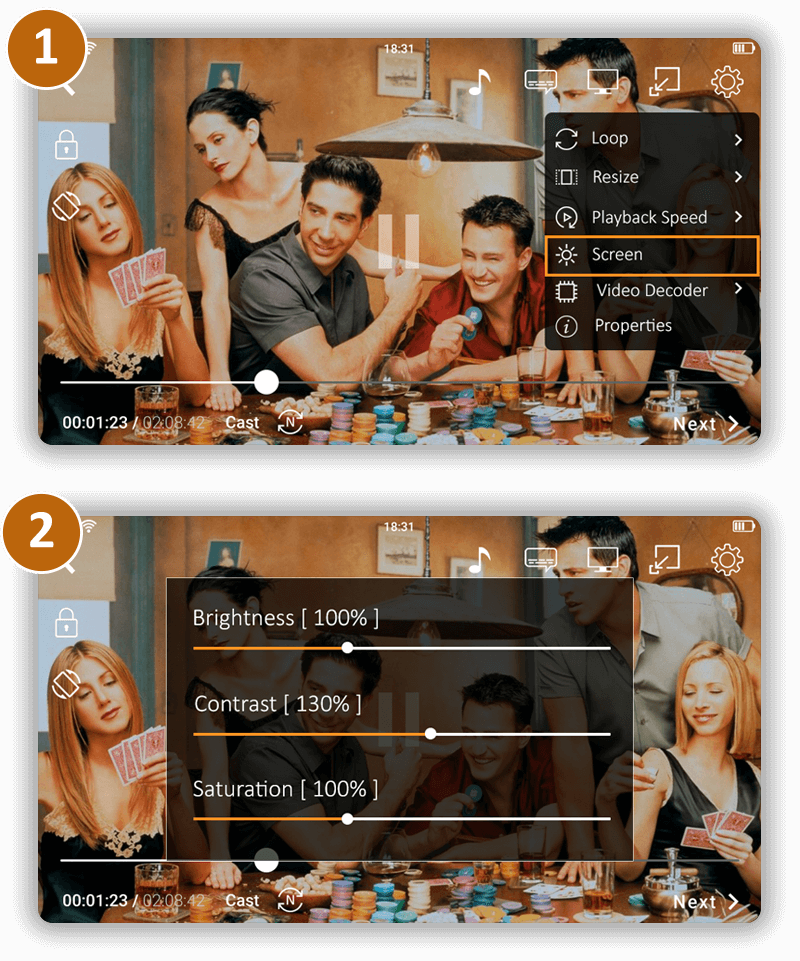
Resize Visual Experience
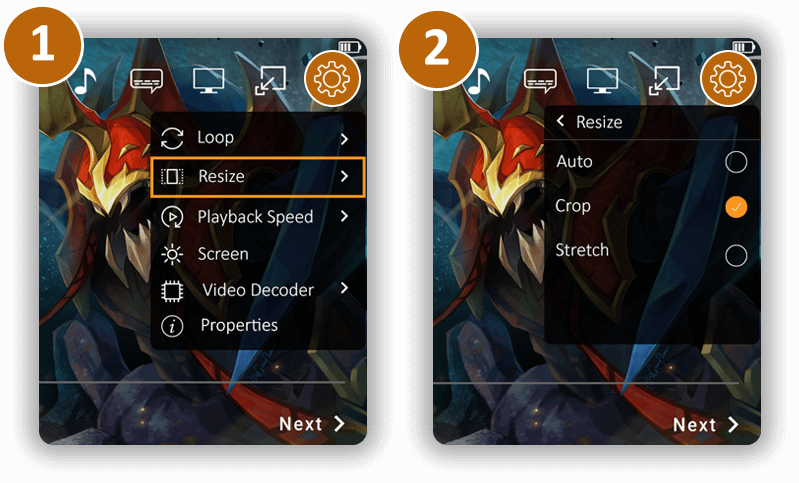
Is it possible to resize my video in CnX Player ? Yes, videos can be resized in CnX Player. 1. Open
Read MoreManaging media files
Media Storage
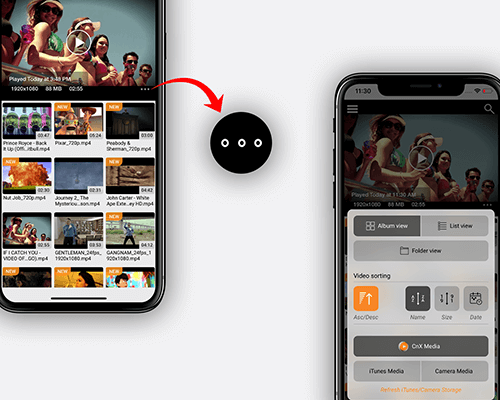
What all media can be viewed in CnX Player ? Another awesome feature that CnX Player offers its iPhone/iPad users is accessing any video file in the device or in the same wifi network with a much simplicity. CnX Player has 3 different storage: 1. iTunes
Read More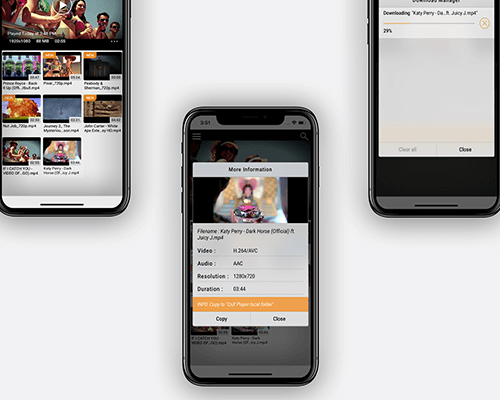
Media Copy from iTunes and Camera
How to copy videos/media from iTunes and Camera to CnX Storage ? Video files from iPhone/iPad internal storage like iTunes and Camera can be copied to “CnX Storage” from the application itself or by using “Wifi-Management” tool. By copying media to CnX S
Read More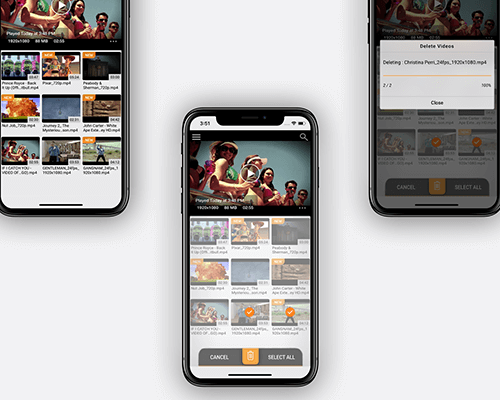
Delete multiple media
Is it possible to delete multiple files in one go ? Yes, CnX Player provides a feature of “Multiple delete” through which you can manage your videos collection very easily. This functionality works from the application and also from the “Wifi Management”
Read More